Configuring the control system
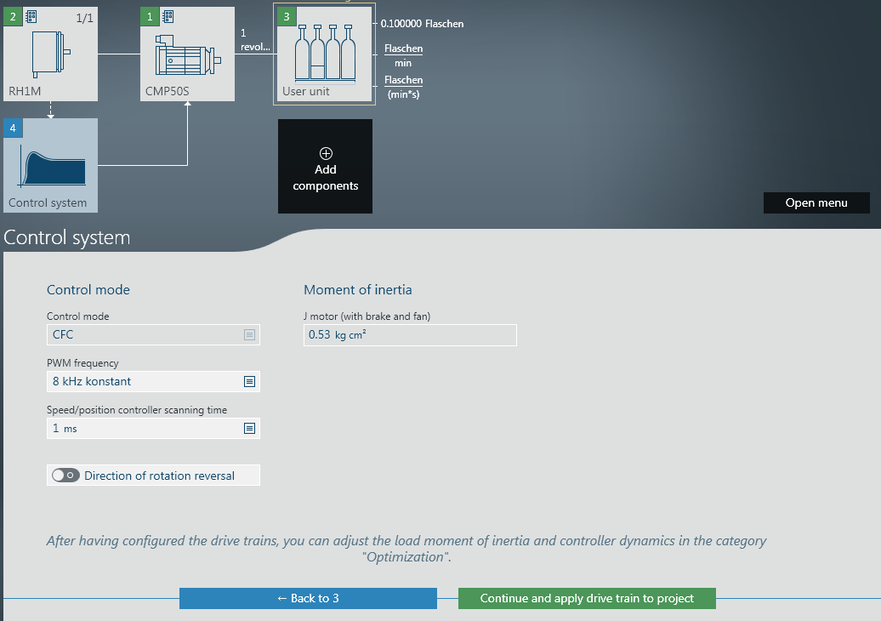
- The configuration menu for the control system opens. After having added the "user units" component, either click [Next] or click the [Control system] component in the overview.
- Specify the control mode and the PWM frequency. You can change the load moment of inertia and the control dynamics in the optimization menu. See chapter Optimizing the drive train.
- To continue, click [Continue and apply drive train to project].
- The startup data are transferred to the device and are saved in the MOVISUITE® project.
- Where applicable, the parameters defined in user units are converted. For further information, refer to chapter Configuring user units.

INFORMATION

The control modes are dependent on the motor and combination of motor and encoder. The control mode is selected with a reasonable value based on the motor and encoder in use.
INFORMATION
