Applying inverter to MOVISUITE®
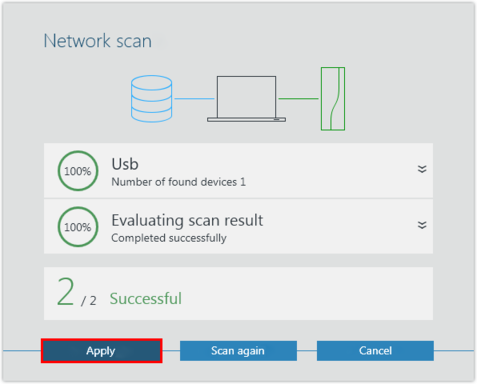
The MOVIDRIVE® technology application inverter is detected during the network scan.
Proceed as follows:
- You have started a network scan.
- Apply the scanned device to MOVISUITE®.
- If necessary, load the device data into the MOVISUITE® project. Confirm the message stating that the device data has been successfully transferred.
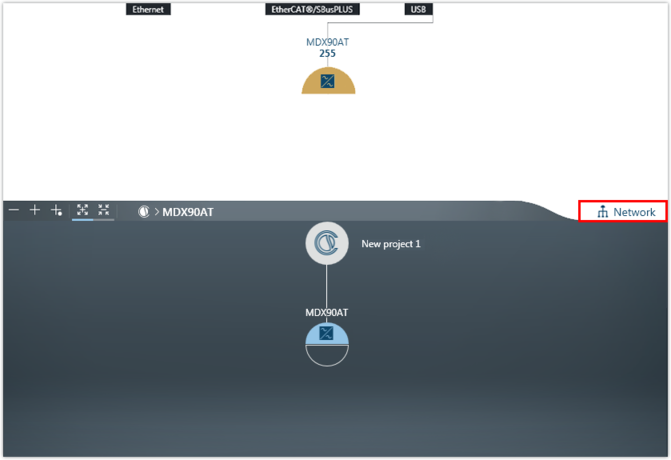
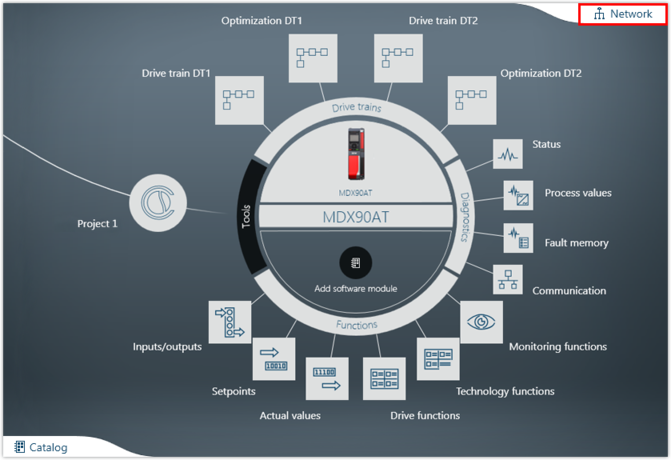
- The device is displayed in one of the MOVISUITE® views. The display depends on the view you used when closing MOVISUITE® for the last time:
- The combined network and function view shows all connected devices detected during the network scan.
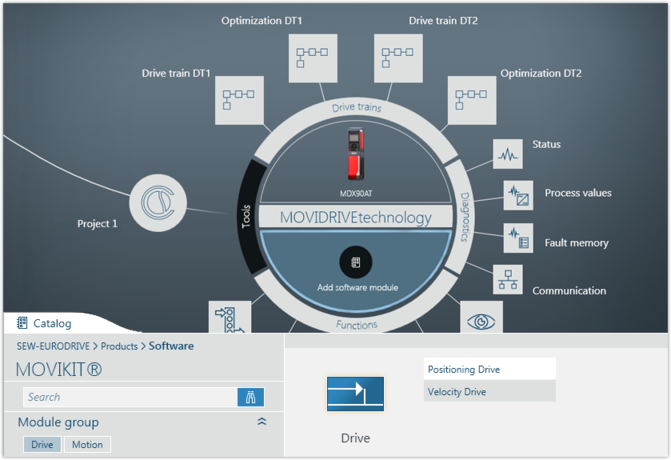
- The function view has 2 views. The tree view shows an overview of the entire project. The circle view shows the current node as a large circle in the center of the workspace.
- To toggle between the MOVISUITE® views, click the "Network" tab.
- If required, you can assign a name to the inverter. The device will then be shown in the MOVISUITE® project under this name.
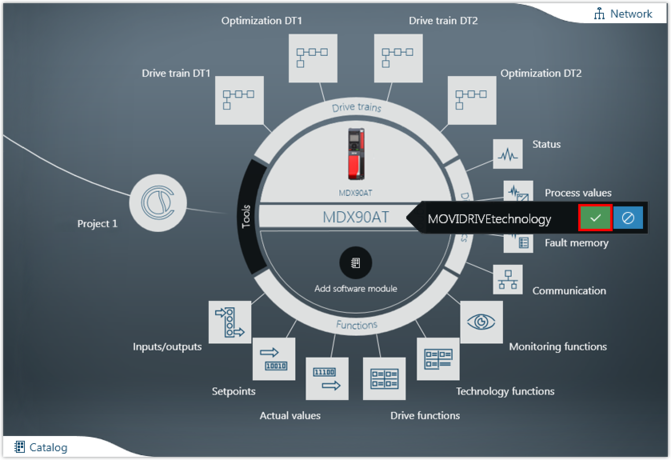
- SEW‑EURODRIVE recommends to use MOVIKIT® software modules. MOVIKIT® software modules contain ready-made and verified drive and application functions that allow for taking into operation all kinds of drive tasks quickly and conveniently. Load the matching MOVIKIT® software module into the inverter.
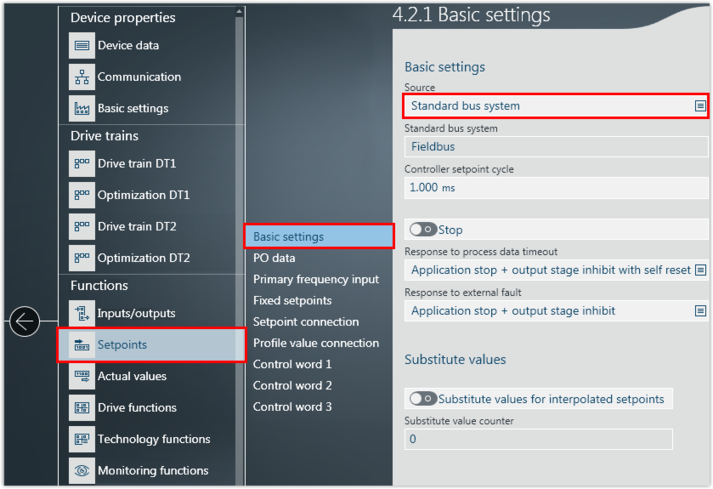
- If you do not use a MOVIKIT® software module, you have to configure the process data source and the process data manually. To do so, open the configuration of the inverter and set the process data source.
- Configure the process data (setpoints and actual values) in the inverter.
- Save the MOVISUITE® project.