Creating a project in MOVISUITE®
Proceed as follows:
- Start MOVISUITE®.
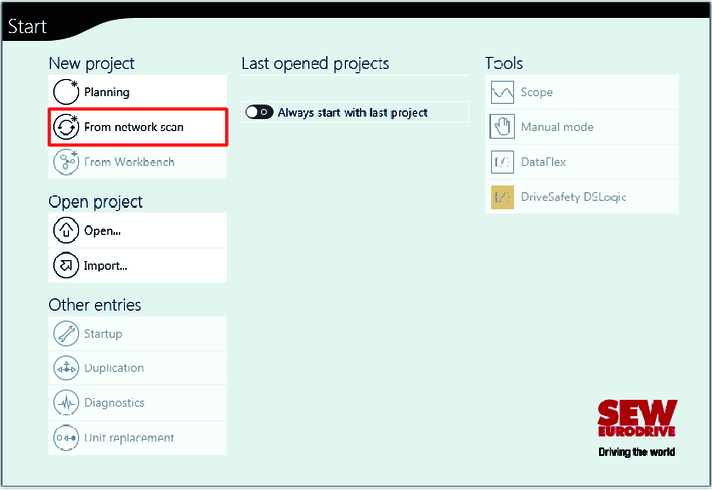
- Create a new MOVISUITE® project by choosing "From network scan".
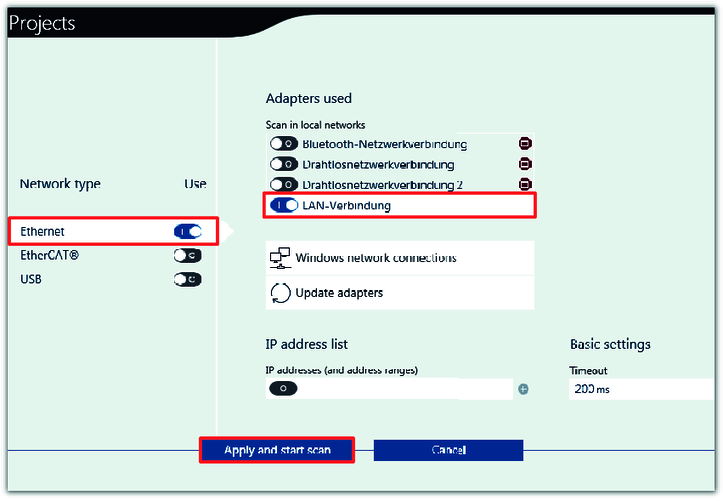
- Activate the network type (Ethernet) and the configured adapter (LAN connection). Apply the settings and scan the network by clicking the "Apply and start scan" button.