Installing a local file
Proceed as follows:
- MOVIRUN® open Editor is installed.
- MOVIRUN® open Editor Installer is open.
- Click Change.
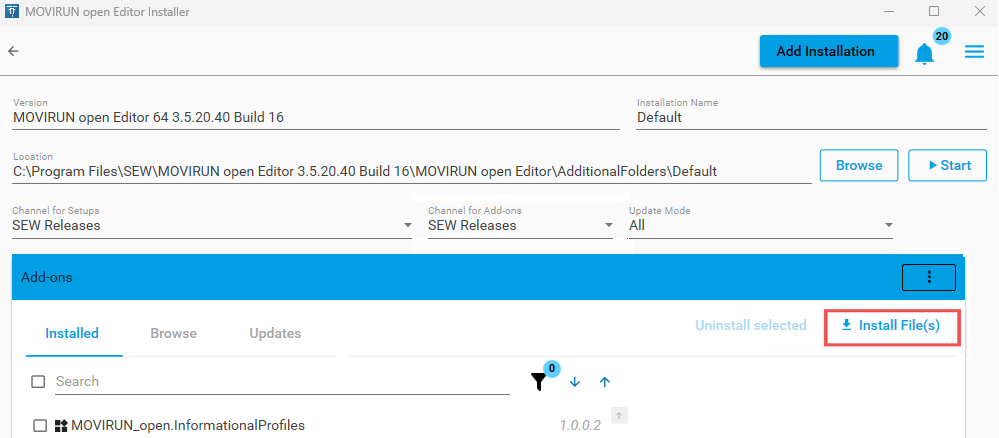
- The following window is opened:
- Click Install File(s).
- Select the folder that contains the file to be installed.
- Use only trusted files.
- Select the file and click Open.
- Acknowledge and confirm any warnings.
- Confirm the pop-up window by clicking OK.
- Click Continue.

- The file is installed.
- The installed file is displayed on the Installed tab.
