Realizing a cam description via an object of type CamDescription
This application example shows how to define a cam description based on an object of type CamDescription.
To do this, the user declares a variable of the type CamDescription in their user program. This variable is also transferred as CamTableID when the MC_CamIn function block is called.
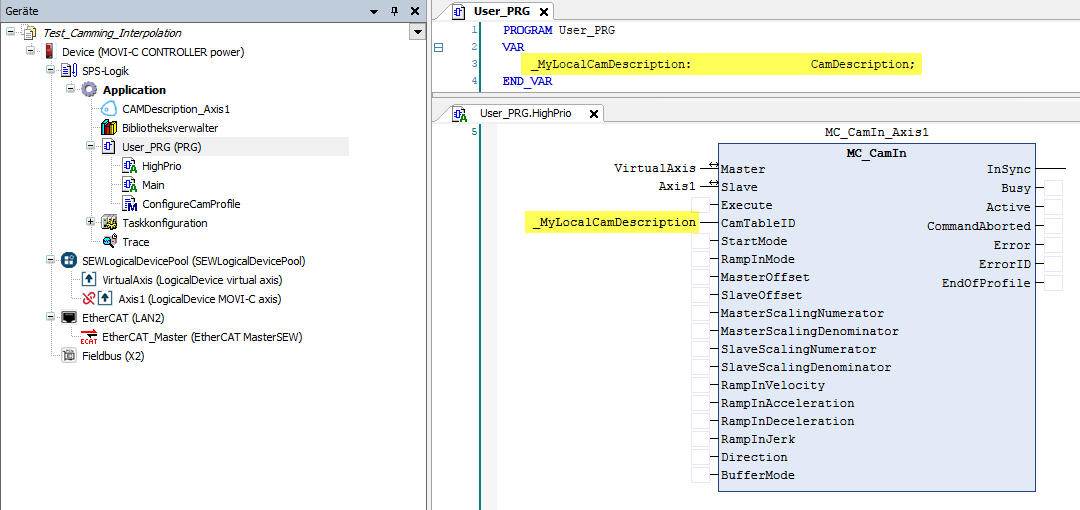

A variable declared in this way cannot be configured or monitored via the MOVIRUN® open CAM Editor. The configuration must be carried out from the user program. To do this, the user can assign a corresponding value to the variable.
The following code example generates a cam description with a cam profile as configured in the application example Realizing a cam description with the CAM Editor.
The code example consists of a cam segment with a 5th order polynomial with derivatives that are 0 at both margins (rest) and the slave position of which performs a stroke of 360.0, while the master position moves from 0.0 to 1.0.
_MyLocalCamDescription.uiNrOfDefinedCamSegments := 1;
_MyLocalCamDescription.CamSegment[1].CamProfileType := E_CamProfileType.Polynom_5;
_MyLocalCamDescription.CamSegment[1].Left.lrX := 0.0;
_MyLocalCamDescription.CamSegment[1].Left.lrY := 0.0;
_MyLocalCamDescription.CamSegment[1].Left.lrVy := 0.0;
_MyLocalCamDescription.CamSegment[1].Left.lrAy := 0.0;
_MyLocalCamDescription.CamSegment[1].Right.lrX := 1.0;
_MyLocalCamDescription.CamSegment[1].Right.lrY := 360.0
_MyLocalCamDescription.CamSegment[1].Right.lrVy := 0.0;
_MyLocalCamDescription.CamSegment[1].Right.lrAy := 0.0;
