Inserting via device scan
To add devices to CODESYS via a device scan, proceed as follows:
- Open the context menu of the "EtherCAT_Master" object in the device tree.
- Click the [Scan for Devices...] menu item.
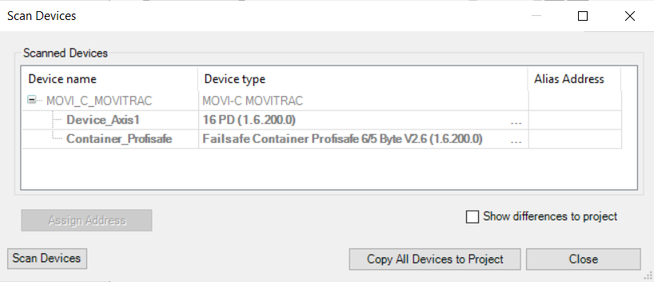
- The "Scan Devices" dialog box is displayed and a scan for devices on the EtherCAT® is performed.
- The devices found are displayed in the "Scan Devices" dialog box. The name for devices and device slot 1 can be entered in this dialog box. To do this, double-click the respective object in the "Device name" column.
- Click [Copy all devices to project] to copy all devices found to the project.
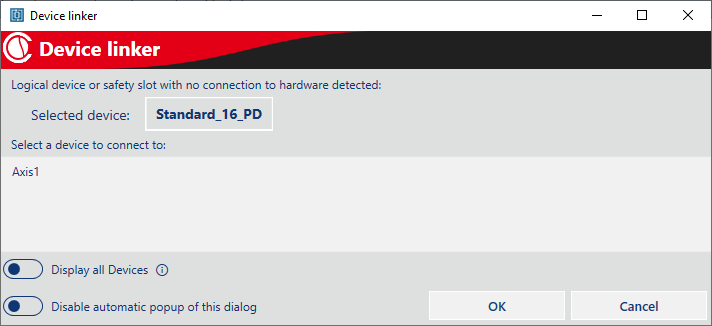
- If there are logical devices in the SEWLogicalDevicePool that are not yet assigned to a device, the "Device linker" dialog box is displayed:
- Select a logical device from the list that is to be connected to this device and click [Add new Device].
- The logical device and the device added in CODESYS are connected.
- The dialog box is automatically displayed again for all devices that are not yet assigned to a device.
- Repeat these steps for all other devices.

INFORMATION

Double axes are recognized and inserted as single axes during the device scan. The type must therefore be adjusted manually in the device scan dialog box for a double axis. To do this, click the three dots and select the double axis in the following dialog box.