Starting up the drives
Before drives are integrated into the program, their startup procedure should have been completed. When using MOVI-C® components, carry out the drive startup procedure with the MOVISUITE® engineering software. More detailed information on operating the MOVISUITE® engineering software and starting up the drive trains can be found in the associated documentation. The MOVISUITE® manual is available in the software itself via the "More" > "Documents" menu or in Online Support. There is also a video on this topic on the YouTube channel of SEW-EURODRIVE.
If you are using third-party components, you must carry out the drive startup procedure using the manufacturer's corresponding engineering software.
Observe the following information when starting up MOVI-C® components with MOVISUITE® for MOVIRUN® open:
- Do not configure any MOVIKIT® software modules on the drives in MOVISUITE®.
- No further settings need to be made on the MOVI-C® CONTROLLER.
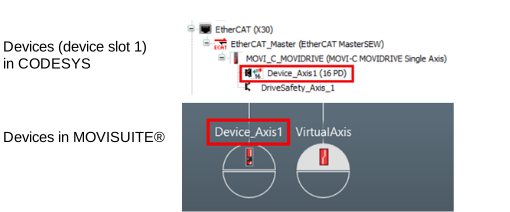
- The names of the devices in the CODESYS device tree (device slot 1) are not synchronized with the names of the devices in MOVISUITE®. Use the same names for the devices in MOVISUITE® as in the CODESYS device tree.
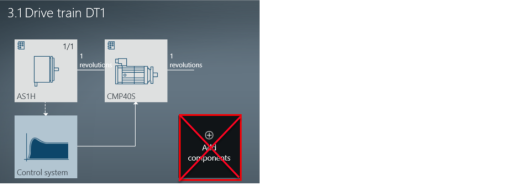
- As the user units are configured via the IEC project or PLCOpen function blocks when using MOVIRUN® open, no other components such as gear units or user units may be created or configured in MOVISUITE®.