Creating a project
- The MOVIRUN® open Editor is installed.
- Start the MOVIRUN® open Editor. A link to this profile is created on the desktop during installation.
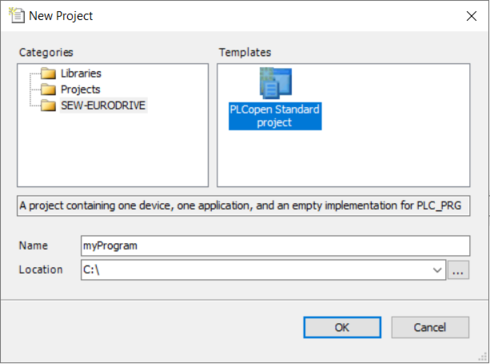
- Select the menu command [File] > [New project].
- The "New project" dialog box is displayed.
- Select the "PLCopen Standard project" template in the "SEW-EURODRIVE" category.
- Enter a name, specify the storage location, and click [OK].
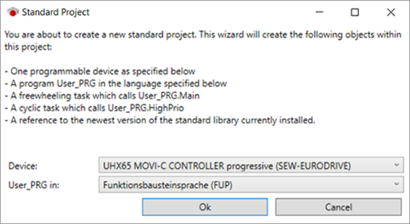
- The "Standard project" dialog box is displayed.
- Select a MOVI-C® CONTROLLER in the "Device" field.
- In the "User_PRG in" field, select the programming language for the user program and click [OK].
- A standard project is created.