Instance management
If you have access to several instances, instance management is displayed on the home page.
Open instance management by clicking the Home menu item or the SEW-EURODRIVE Logo in the upper left corner of the screen.
Instance management displays an overview of all installations of sensor systems that are linked to the software and to which you have access. You can view and manage the individual instances.
You get a structured overview of the state of your monitored systems and can use the dynamic search and intuitive user interface to quickly switch between instances.
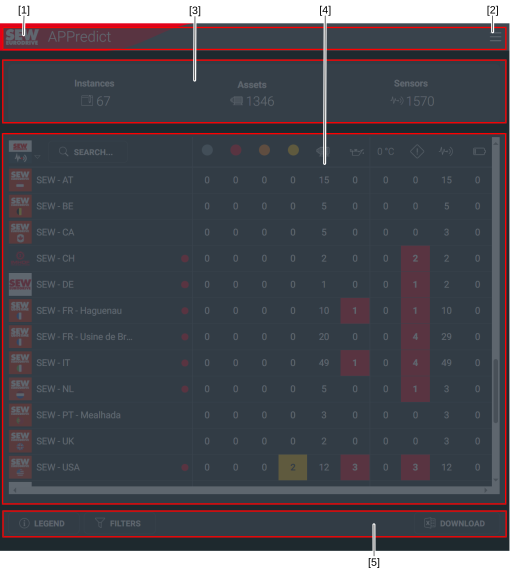

[1] | SEW-EURODRIVE Logo with a link to the home page |
[2] | Menu |
[3] | Overview of all instances |
[4] | Information on the individual instances |
[5] | Filter option and button for downloading the contents |
The view shows the following information for each instance [3]:
- Total number of sensors, categorized by their current state (UNKNOWN, SEVERE, WARNING, SUSPECT)
- Number of monitored assets within the installation
- Number of assets for which an oil change is recommended
- Number of sensors operating outside the permitted operating temperature
- Total number of all sensors that are in an alarm state (SEVERE, WARNING, SUSPECT).
- Number of active sensors within the installation
- Number of sensors with a low or empty battery
