Creating a license request file and copying it to the engineering PC
- Open the IEC Editor.
- Establish a communication connection between the engineering PC and the GPOS of the MOVI‑C® CONTROLLER.
- Double-click the MOVI‑C® CONTROLLER in the device tree to open the "Properties" tab of the visualization device, and open the "PLC shell" tab it contains.
- Run one of the following commands to create a license request file for your SMID. When doing this, replace "SMID" with the SMID which you have noted down.
sewlicmgr create LicenseFile SMID or sewlicmgr create LicenseFile SMID My_Request_File.xml
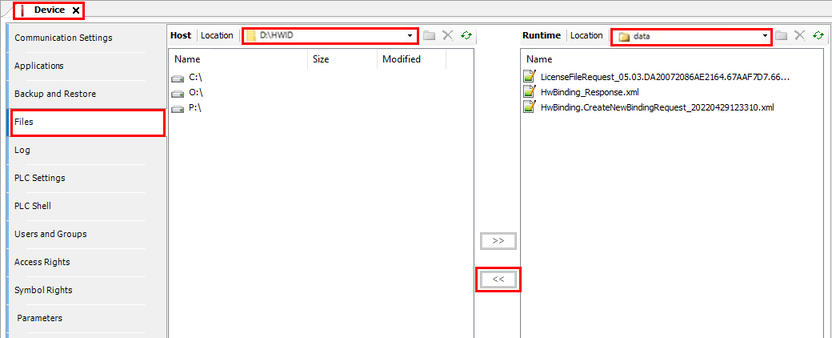
- Switch to the "Files" tab.
- Copy the created license request file from the "data" directory on the MOVI‑C® CONTROLLER to your engineering PC.