Checking licensing
- You have started the visualization.
- Open the IEC Editor and establish a communication connection between the engineering PC and the visualization device.
- Double-click the visualization device in the device tree to open the "Properties" tab of the visualization device, and open the "PLC Shell" tab it contains.
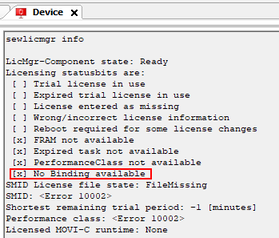
- Run the following command via the edit box:
sewlicmgr info - The output shows that no hardware binding is available.