Login and download
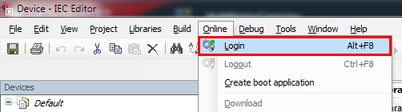
- Open the [Online] menu and select [Login]. You can also log in with the key shortcut <Alt> + <F8>.
- The IEC Editor performs the login to the MOVI‑C® CONTROLLER.
- After logging in, a dialog window appears asking if you want to download the program.
- Confirm the prompt with [Yes].

INFORMATION