Library
The libraries that can be used to configure containers are imported and managed in the "Library" tab. Libraries include containers and templates, which are displayed as non-editable objects ("eye" icon) in the corresponding tabs and can be used to configure containers.
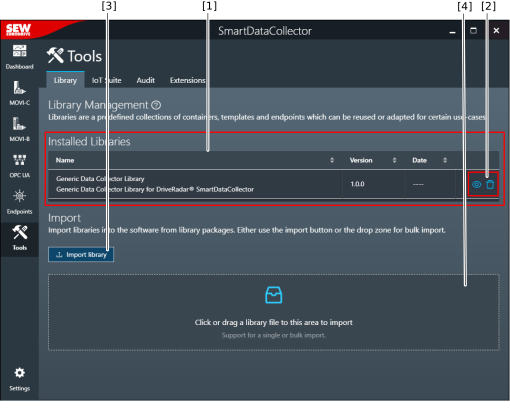

[1] | Installed libraries with name, version, and date |
[2] | Display details or delete a library |
[3] | Select an individual library package for import |
[4] | Area to import library packages using drag and drop |
Additional information
