Configuring a safe communication channel
If a device with integrated safety option is controlled via PROFIsafe, you must configure the safe communication channel.
INFORMATION

This example describes the procedure for a configured and approved MOVISAFE® CSS21A safety option. The configuration of a safety option is described in the product manual of the respective device.
MOVISUITE® provides the following functions for safety options:
- Startup of the safety sub-functions
- Reading and partially writing safe F-parameters, such as F_iPar_CRC, F_WD_Time, etc.
- Diagnosing PROFIsafe communication by monitoring F-process data
- Diagnosing the PROFIsafe device (e.g. status messages and error messages)
Proceed as follows:
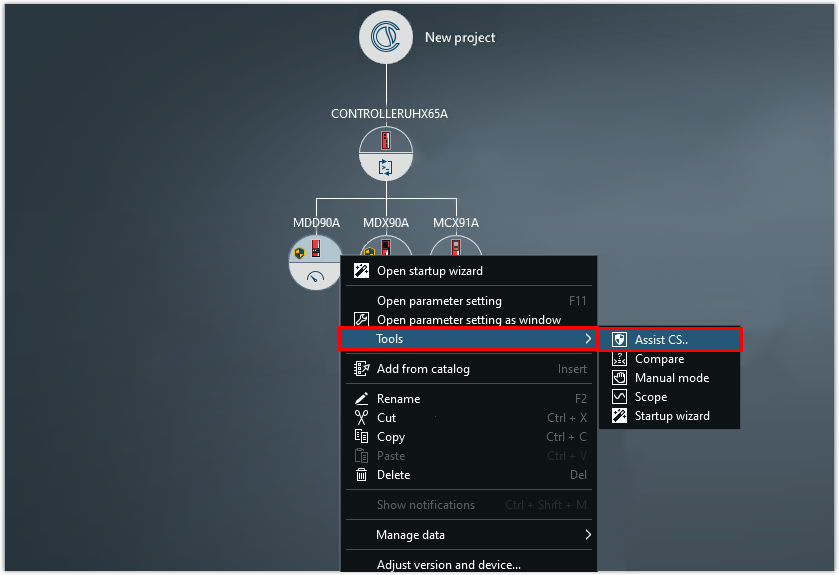
- Start the Assist CS.. tool
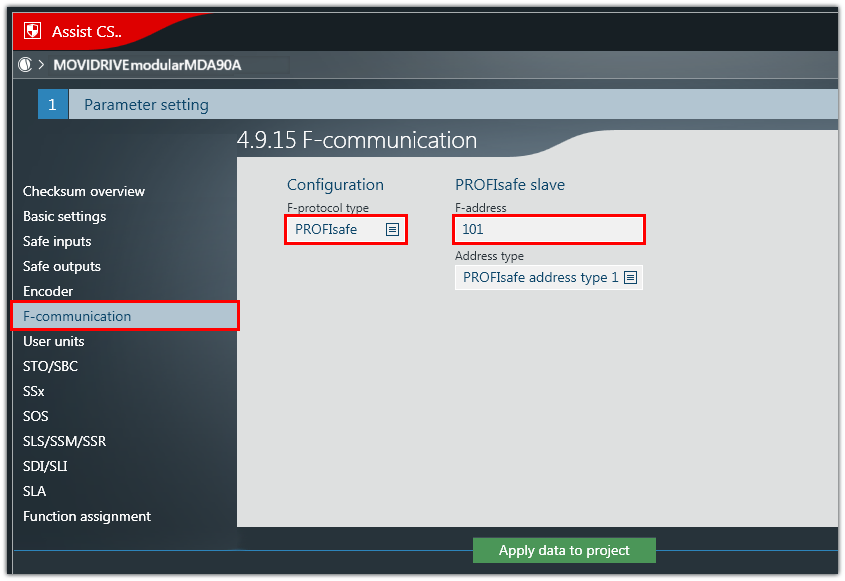
- Select the F‑protocol PROFIsafe and enter the F‑address. The F-address is the unique address of the safe communication node within a PROFIsafe network and is used for checking the authenticity of the connection.
- Select the address type. The address type ensures the uniqueness of the PROFIsafe address in the PROFINET network. By default, address type 1 is set for the PROFIsafe node.
- Up to MOVISUITE® 2.10, controller firmware 5, inverter firmware 6, inverter function status 6:
- If you have set address type 1 in MOVISUITE®, select the GSDML entry without the suffix V2.6 (XP protocol) in the TIA Portal.
- If you have set address type 2 in MOVISUITE®, select the GSDML entry with the suffix V2.6 (LP protocol) in the TIA Portal regardless of the address type set here.
- As of MOVISUITE® 2.20, controller firmware 6, inverter firmware 7:
- The address type in MOVISUITE® and the GSDML entry in the TIA Portal can be selected independently of one another.

INFORMATION
Make sure that you select the appropriate GSDML entry for the address type in the engineering tool of the safety controller (e.g. TIA Portal):
INFORMATION
The following F-parameters are set in the engineering tool of the PROFIsafe controller (TIA Portal):
F_WD_Time – watchdog time that monitors the duration until the next valid PROFIsafe message is received
ParCRCBus (iPar_CRC) – checksum of all safety parameters in hexadecimal format
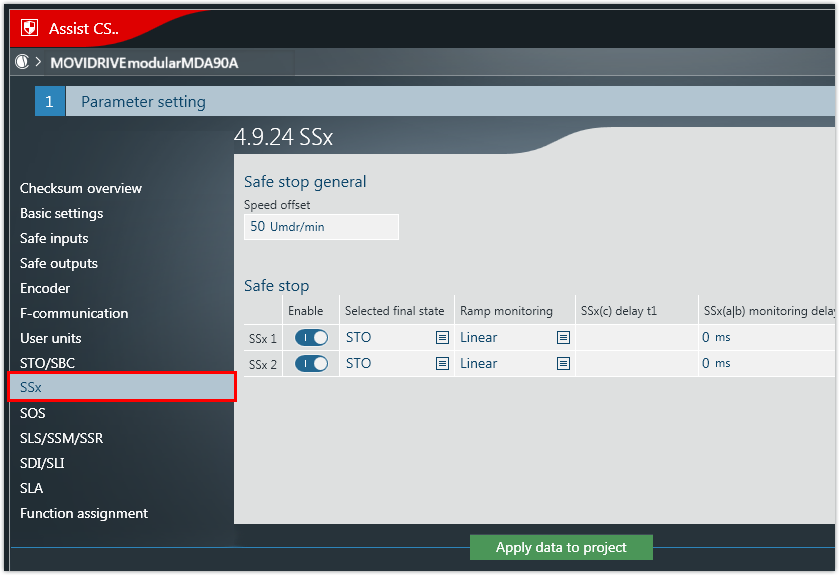
- Parameterize the required safety sub-function.
- In this example, the SSx safety sub-function is parameterized.
- Transfer the data from the Assist CS.. tool to the MOVISUITE® project.