Configuring a fieldbus option
The fieldbus interface for the connection has to be set in the MOVISUITE® project and the device configuration has to be loaded to the controller via the IEC Editor.
Proceed as follows:
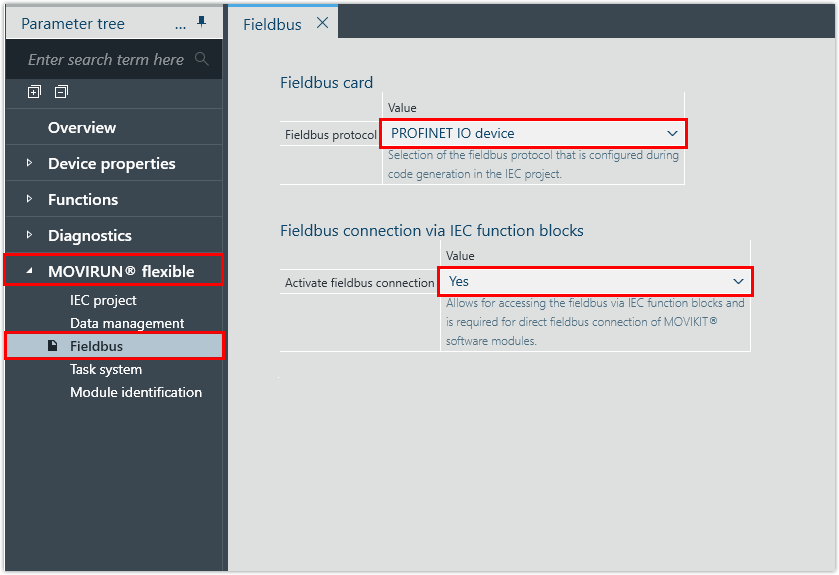
- In the configuration of the controller, open the [MOVIRUN® flexible] > [Fieldbus] parameter group.
- To integrate the controller as a PROFINET device in the PROFINET network, set the "PROFINET IO device" fieldbus protocol.
- To link the PROFINET process data interface directly with the MOVIKIT® software module, activate the "Fieldbus interface via IEC modules" parameter.
INFORMATION

The process data interface is configured in the engineering tool of the PLC (e.g. TIA Portal). Make sure that the process data module you insert in the hardware configuration at the process data interface (slot) matches the selected MOVIKIT® software module. For example, for MOVIKIT® Velocity, you must insert a process data module of 5 process data words.