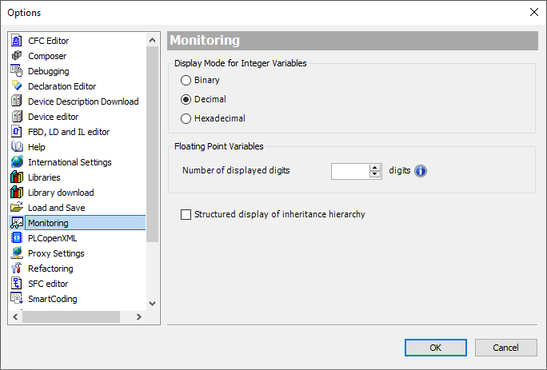
Settings in the IEC Editor
In the IEC Editor, select the "Project" > "Project settings" menu command.
A window is displayed.
Select the "Monitoring" entry in the left tree.
Deactivate the "Structured display of inheritance hierarchy" check box.
Confirm your changes.
❮
❯
SCM Decentralized Controller
Language
Deutsch
English
SEW-EURODRIVE
Home
Startup
Startup with SCM startup plug-in
Basic startup of the drive train
Manual mode
Settings in the IEC Editor