User interface
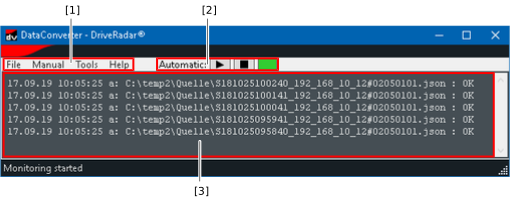
The software user interface provides the following sections:

No. | Use |
|---|---|
[1] | Menu bar of the software |
[2] | Control elements for automatic conversion with buttons for starting or stopping automatic conversion, and a status display (green: automatic conversion enabled) |
[3] | List/log of the last converted files with date, time, source file name, and conversion state (e.g. display of possible errors such as incorrectly set parameters) |
