Diagnostics via the web server of the controller
The "Gateway Solution" application provides diagnostics of process data and gateway configuration via the integrated web server. Using the IEC Editor is not mandatory for diagnostics.
INFORMATION

The X80 engineering interface must be used for diagnostics via the web server.
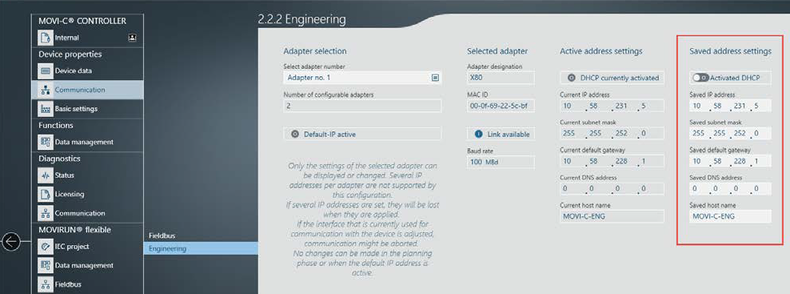
- Assign an IP address to the X80 engineering interface that matches the addresses of your PROFINET network.
- Set the IP address in MOVISUITE®:
- Start diagnostics of the gateway application in your standard browser with the following command line:
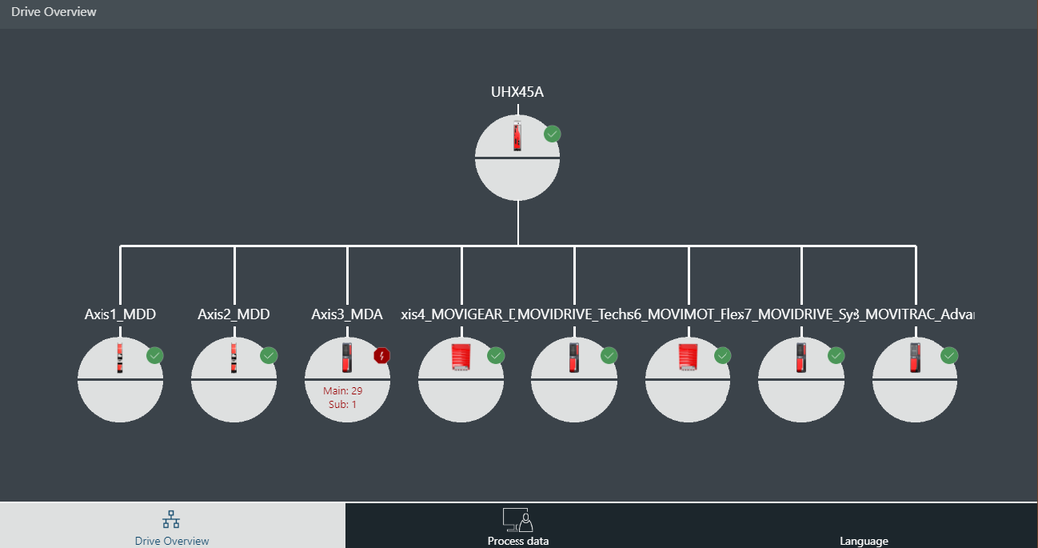
- After a short communication setup, the following window is displayed in the sample project.
- The following information is displayed in this window:
- All configured axes with associated device signature
- Fault status of the axis with associated fault number
- Status of fieldbus and EtherCAT® communication
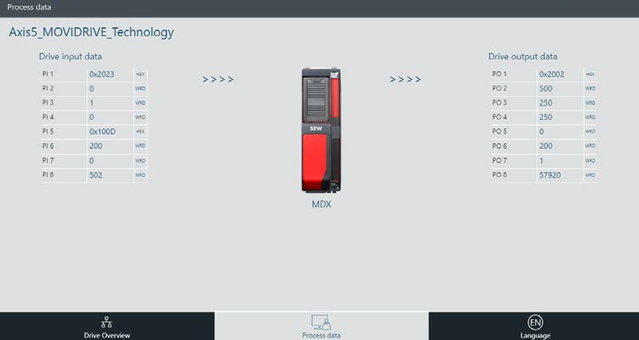
- To switch to detailed diagnostics of the process data, click on the respective device to see more details.
- The number and current values of the process data are displayed.
- To switch the display format of the process data words between word, decimal and hexadecimal, click the "WRD" field.