Opening a project in the IEC Editor
The IEC Editor opens automatically once the IEC project has been created and the code has been generated. The SBusPLUS string is displayed with the axes.
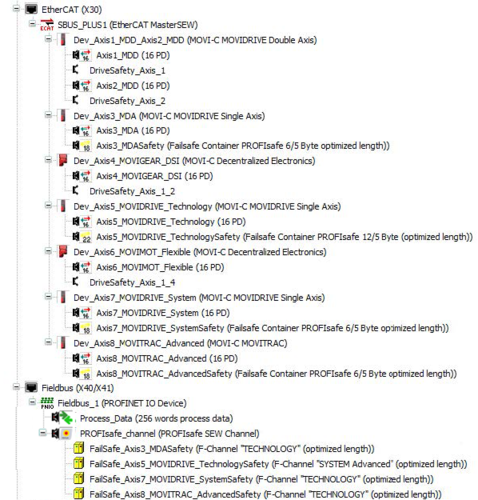

- Under the "EtherCAT®" node, you can see your inverters with the device names you have assigned.
- Under the "Fieldbus" node, you can see the fieldbus protocol that you have configured.
- When using safe communication via PROFIsafe or FSOE, configure the corresponding safety objects on the fieldbus node and the EtherCAT® node.
