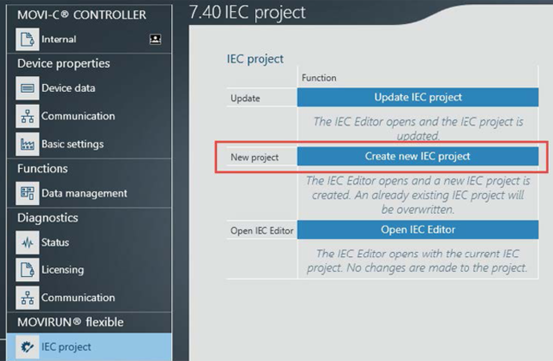
Creating an IEC project in MOVISUITE®
Proceed as follows to create an IEC project with automatic code generation based on the configuration in MOVISUITE®:
- Configuration of the MOVISUITE® project has been completed.
- In the parameter view of the controller under [IEC project], click the [Create new IEC project] button.
- The IEC Editor opens and a new IEC project is created. This process can take several minutes depending on the number of inverters.
- The hardware configuration in the IEC project corresponds to your EtherCAT® network.