Generating an IEC project
INFORMATION

You have to add the visualization manually to the device tree. It is not integrated into code generation. This is why already created visualizations will be deleted when creating a new IEC project in MOVISUITE®.
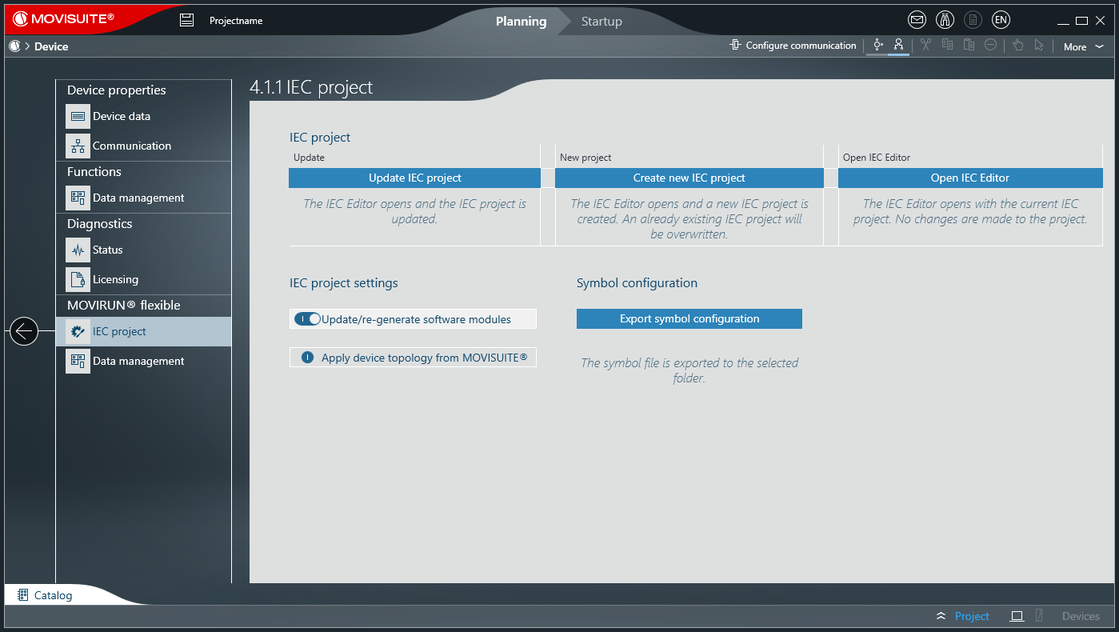
Carry out the following steps to create an IEC project using automatic code generation based on the configuration settings in MOVISUITE®.
- Configuration of the MOVISUITE® project has been completed.
- In the function view of MOVISUITE®, click the software module section of the MOVI-C® CONTROLLER.
- The "IEC project" menu opens.
- Click [Create new IEC project].
- The IEC Editor opens and a new IEC project is created.

INFORMATION
