Without administrator rights (HWID licensing)
- Press key combination [Windows] + [R] with the Windows part of the MOVI-C® CONTROLLER open.
- The "Run" dialog box is displayed.
- In the "Run" dialog box, enter the
shell:startupcommand and confirm your entry with [Enter]. - The Autostart folder of the currently logged-in user (
AppData\Roaming\Microsoft\Windows\Start Menu\Programs\Startup) is displayed in Windows Explorer. - Create a link to the executable start file (
Visualisierung.exe) via the context menu in this directory.
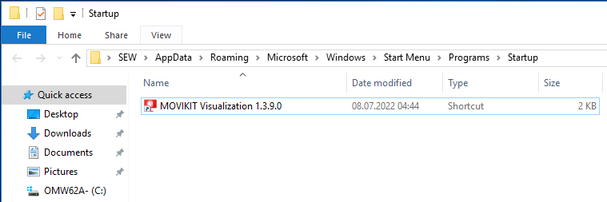

- Autostart for the visualization is set up. The application is started whenever Windows is started up.
