Checking the license
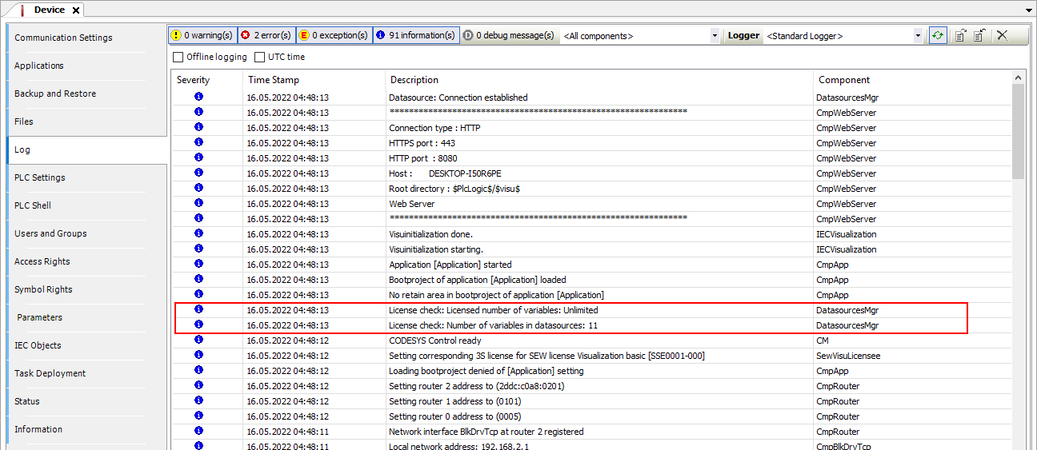
Information on the licensing status of the visualization device and the scope of functions of the license can be viewed in the device-specific log file via the IEC Editor.
Proceed as follows to open the log file:
- Open the visualization project in the IEC Editor.
- Switch on the visualization device.
- Establish a connection between the visualization device and the engineering PC.
- Open the Properties tab of the visualization device by double-clicking the visualization device in the device tree.
- In the "Log" tab, the log file of the visualization device is read out. The information, errors or warnings which are relevant for the licensing can be found in the "DatasourcesMgr" and "SewVisuLicensee" components.
- Check in the corresponding entries whether a valid license for the Visualization is available and active.