Enabling FSoE routing
It is possible to set up routing of a safe FSoE frame on the MOVI‑C® CONTROLLER. This is the basis for connecting a 3rd party FSoE master to the SBusPLUS system bus and for using the safe protocol FSoE (Fail Safe over EtherCAT®). The FSoE frame of the EtherCAT® is embedded into the cyclical process data during this process.
Proceed as follows:
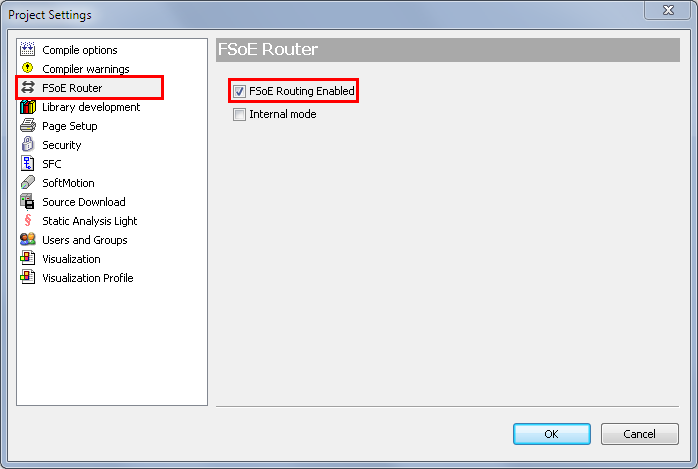
- In the [Project] > [Project Settings] menu, go to the "FsoE Router" tab to enable the FSoE routing function.
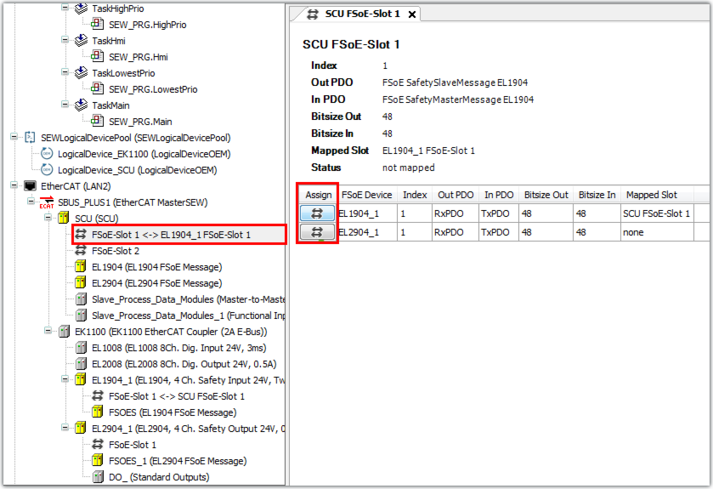
- Use the associated "Assign" function to connect the FSoE slots of the devices with each other. Observe the correct order of the devices and the associated slots.
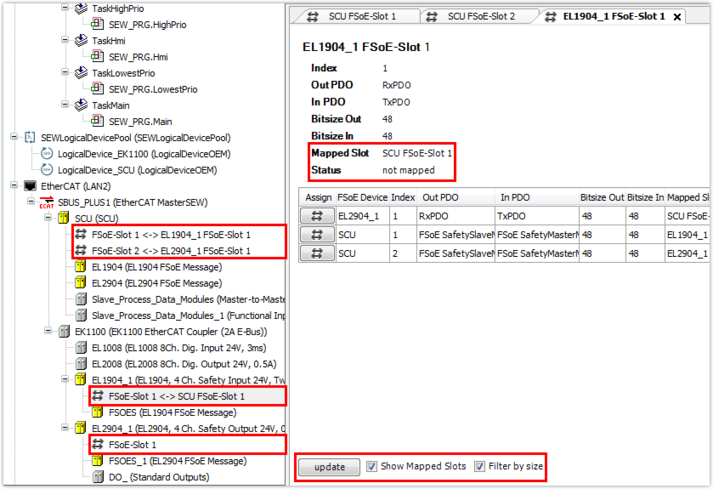
- Check your configuration using "Mapped Slot". The status only changes after the code is translated again. The status of the respective FSoE slots changes to "mapped" when the routing function is used correctly. Check the configured devices and perform a functional test of the components after the network has booted.