Configuring process data
The [Process Data] menu item provides an overview of the configuration and assignment of process data objects (PDO) of the slaves. The master sends this information to the slave via CoE service when starting.
For many slaves, the configuration of process data is already pre-assigned by the device description file. This means the process data objects need not be configured or assigned.
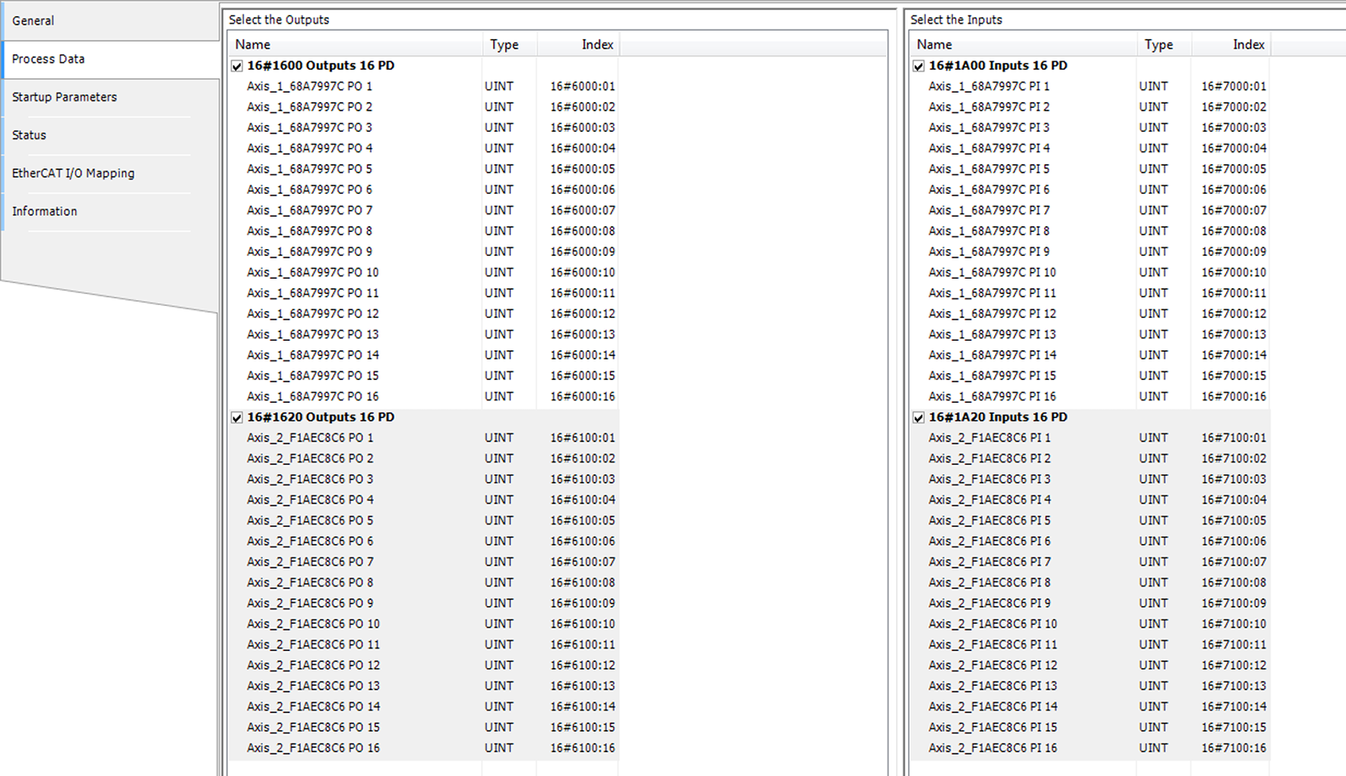

Process data expert settings
An application-specific configuration and assignment of PDOs is useful for gateways and bus couplers. The slaves are configured using a special software of the respective manufacturer.
Under [General], you can access the PDO content for the master. For this purpose, the "Activate Expert Settings" check box must be enabled.
Observe the following notes:
- Adhere to the manufacturer's documentation when configuring the PDOs.
- Instead of configuring PDO: You can adjust the device description file in the IEC Editor. Observe the manufacturer's documentation.
- The configuration of PDOs in the manufacturer's documentation and the configuration in the IEC Editor must match.
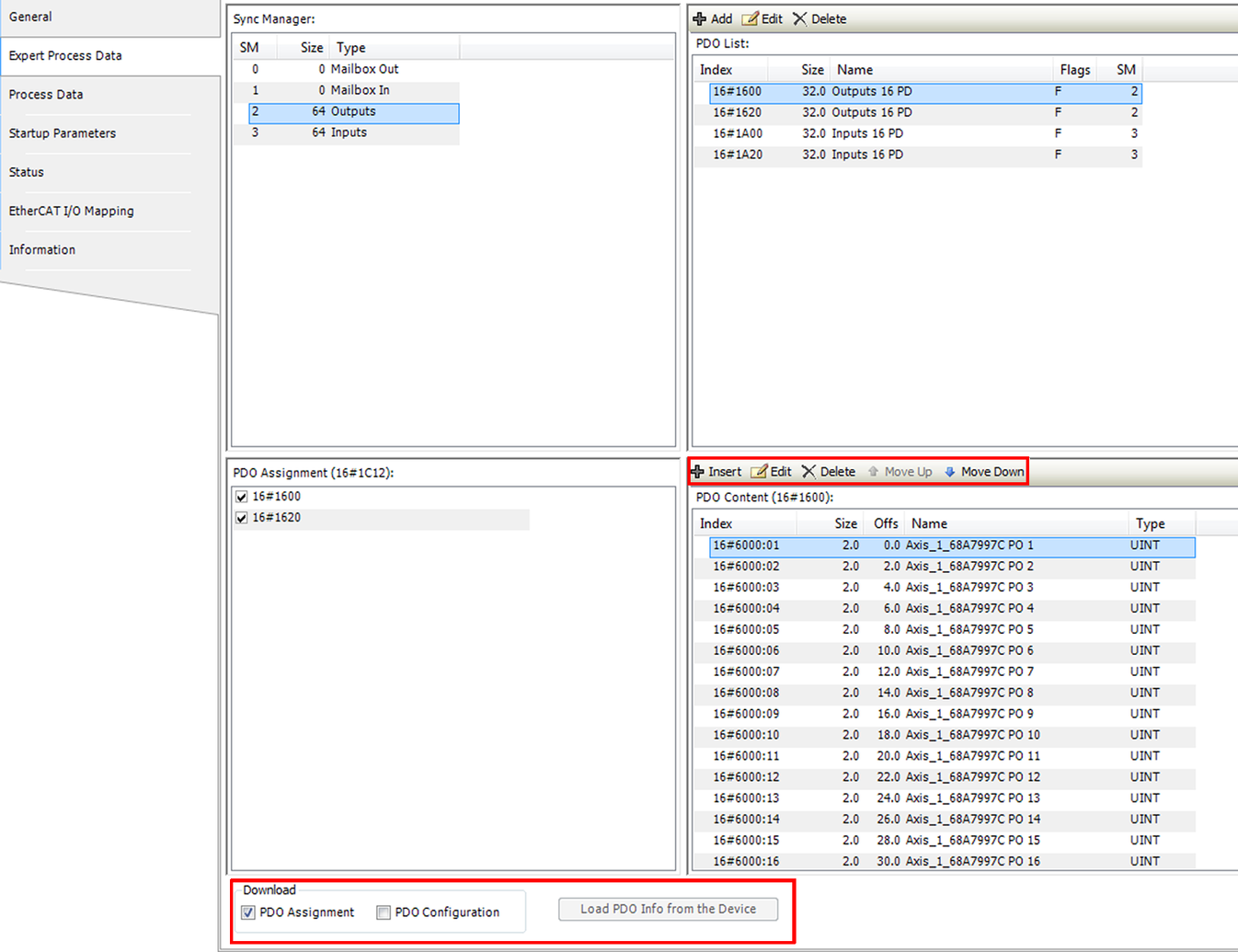
You can add, remove, or edit PDO objects via menu bar.
To load the configuration data into the slave controller, do the following:
- Enable the two check boxes "PDO Assignment" and "PDO Configuration".
- The data are loaded to the slave controller once you have restarted the master.
INFORMATION