Adding third-party components
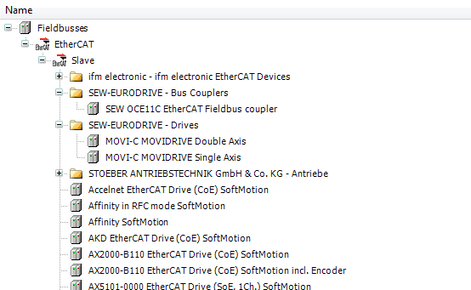
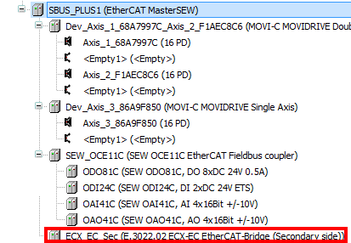
To add further third-party components in addition to the MOVI-C® system components, do the following:
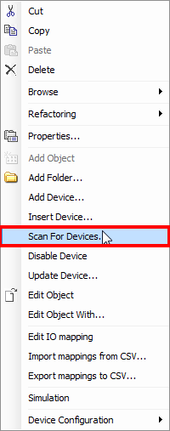
- In the IEC Editor, right-click to open the context menu of the SBusPLUS master.
- Choose [Scan For Devices] from the menu.
- A window with the scan result opens.
- In the example, the MOVI-PLC® I/O system C and an ESD® bridge are the lower-level devices.

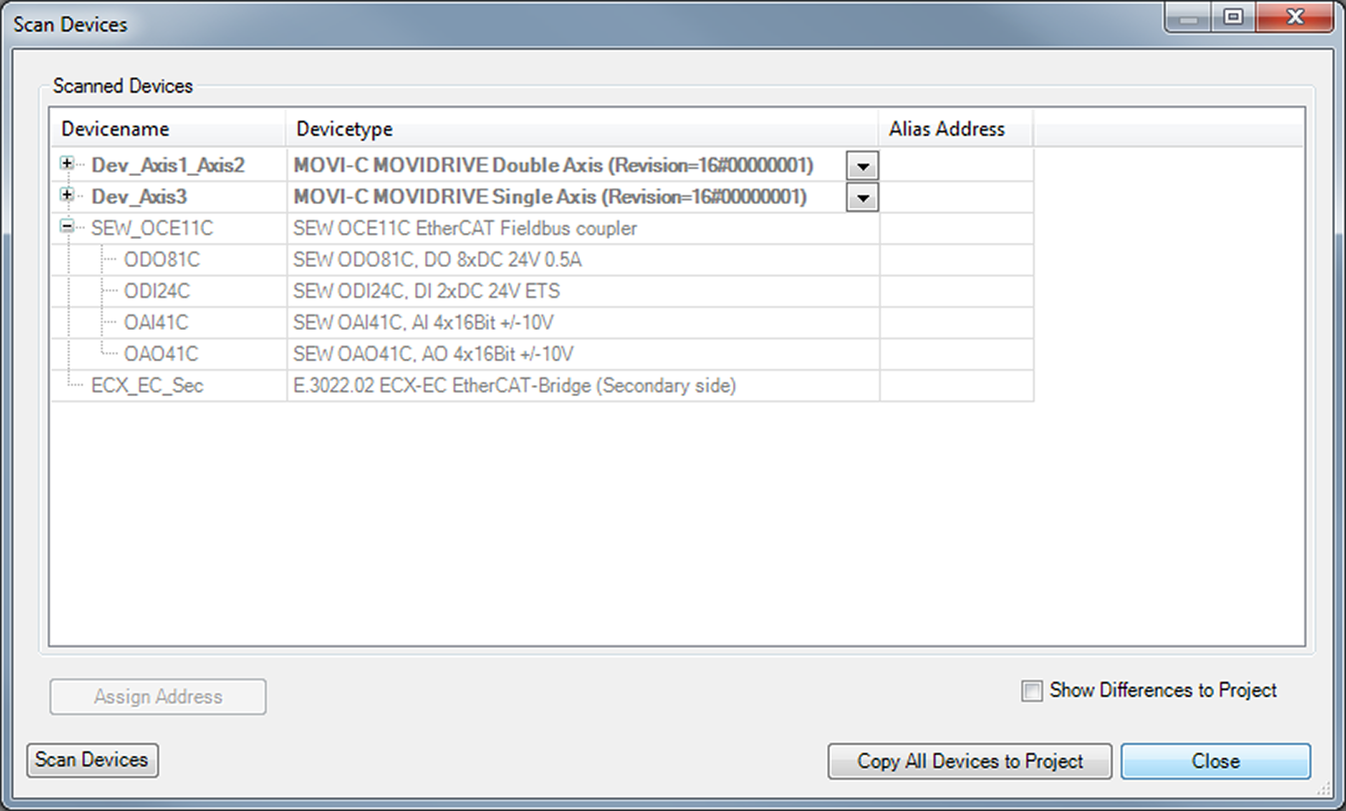
There are 2 ways to copy the scanned components into the IEC project:
INFORMATION

Make sure that you do not copy components that have already been inserted in the project. Else, all project settings you have made will be reset.
Additional information