Adding ESI files
To use further SBusPLUS stations with the functions and setting options, you have to add the respective device description file (ESI file) for third-party components.
INFORMATION

Device description files for third-party components are available from the respective manufacturer. The latest device description files for SEW components are included in the installation package.
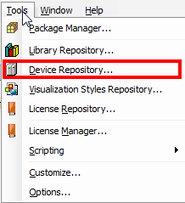

- In the IEC Editor, choose [Tools] > [Device Repository] from the menu.
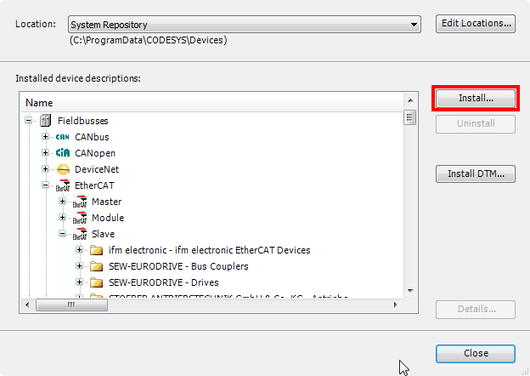
- The "Device Repository" window opens.
- To install the XML file, click [Install] and navigate to the required device description file.
- Repeat the process for all further components.