Inserting manually
- In the IEC Editor, right-click to open the context menu of the SBusPLUS master.
- Choose [Append Device] from the menu.
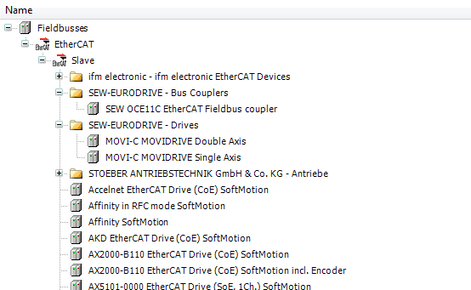
- A window with available components opens.
- Select the required components.

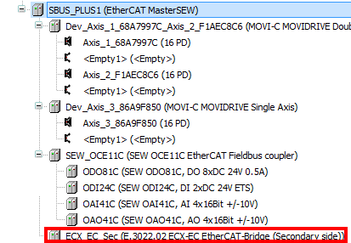
- Once you have added third-party components, the respective structure nodes are displayed in the IEC Editor under the SBusPLUS master:
INFORMATION