Assigning the PROFINET device name
In the TIA Portal, the PROFINET device name, the IP address, and the subnet mask are modified according to the specifications.
- Right-click on the relevant fieldbus controller [1] in the TIA Portal.
- Select the [Assign device name] [2] menu command from the context menu.
- The PROFINET device name, the IP address, and the subnet mask are assigned to the fieldbus controller.
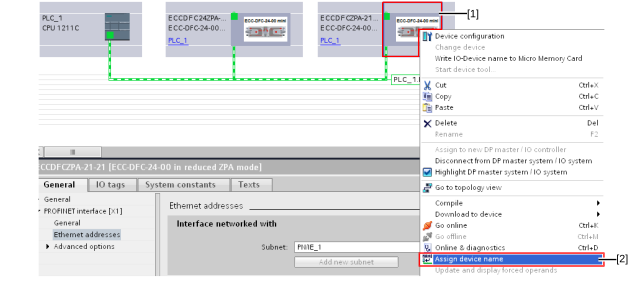

[1] | Fieldbus controller |
[2] | Menu command [Assign device name] |
