Presetting
To have the axis data sets restored automatically when replacing a device, the following settings must be made in advance:
- The function blocks in the IEC project as well as the EtherCAT®/SBusPLUS are in "OP" state.
- The application is in "Run" state.
- A name has been assigned to the LogicalDevices via system bus at creation.
- Create a boot application. See chapter Creating a boot application.
- The boot application is created on the SD memory card under
/app/project/Application.app. - In MOVISUITE®, open the configuration of the MOVI‑C® CONTROLLER.
- In the "Data management" submenu under "Initialization", enable the setting Restore axis data sets via controller. See chapter "Restore axis data sets via controller" function.
- Click on the [Update configuration data] button.
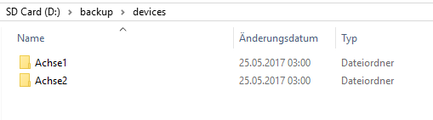
- The configuration data and axis data sets are transferred to the memory card of the MOVI‑C® CONTROLLER. The names of the directories are adopted from the MOVISUITE® project.
- Save and archive the MOVISUITE® project.