"Create new IEC project" function
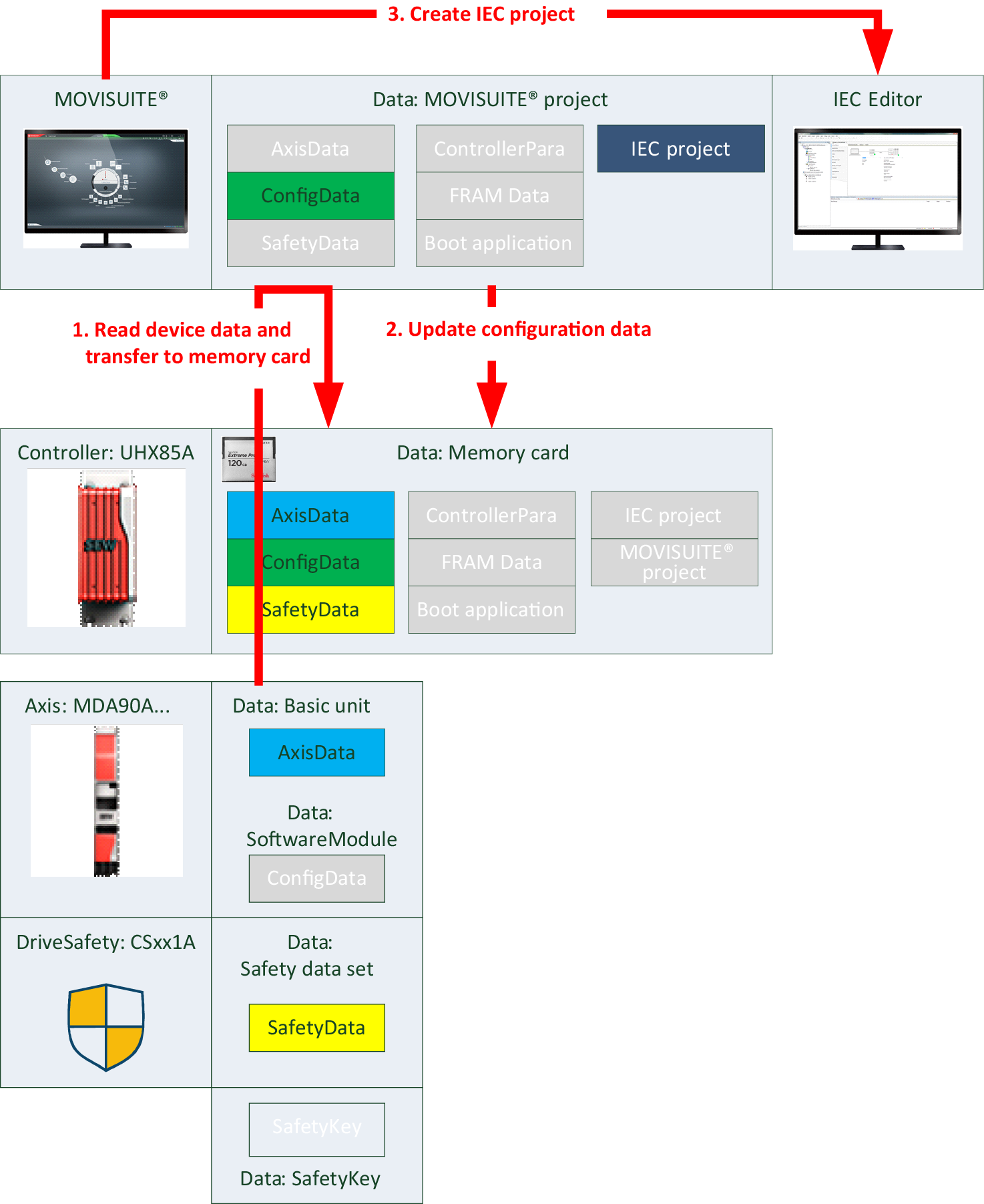
The "Create new IEC project" function is available in MOVISUITE® in the configuration menu of the MOVI‑C® CONTROLLER in the "IEC project" submenu.
Bear in mind the following information when using this function:
- The "Create new IEC project" function requires that the "Update configuration data" function is performed first. Next, the IEC Editor is opened and a new IEC project is created in the IEC Editor from the MOVISUITE® project data.
- An already existing project is overwritten.
- To have the program start again automatically after restart of the MOVI‑C® CONTROLLER, you have to perform the "Create boot application" function in the IEC Editor.