Updating the version of an IEC project
Updating the predecessor version of an IEC project to a successor version is necessary, for example, when changes are made to the IEC library. Proceed as follows:
- Open MOVISUITE® and load the respective MOVISUITE® project.
- Open the context menu of the MOVI‑C® CONTROLLER.
- Click the [Update IEC project] menu item.
- The IEC Editor opens and a dialog window opens.
- Confirm the dialog asking you to update the file format with [Yes].
- The configuration data and axis parameter sets are created and transferred to the memory card of the MOVI‑C® CONTROLLER.
- The IEC project in the IEC Editor is updated and the following message appears:
- Click [OK] in this window.
- The new libraries are added. Existing libraries are not modified.
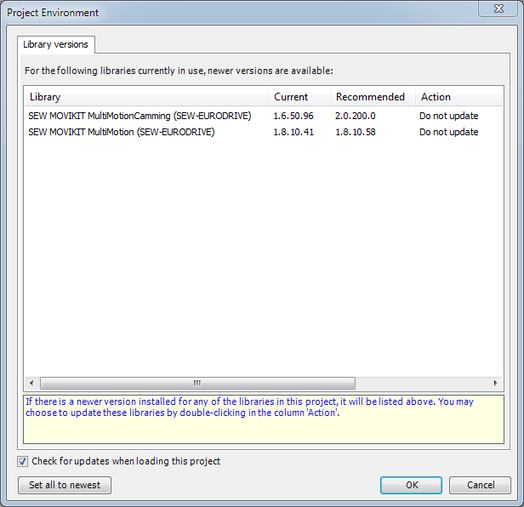

You have to delete old versions of the MultiMotion libraries because you can work only with one library.
- Open the Library Manager
- Open the context menu of the respective entry of the MultiMotion library in the Library Manager.
- Choose [Delete] from the context menu.
Now you have to delete certain nodes in the device tree for the update.
- In the device tree of the IEC Editor, open the context menu of the "SBUS-PLUS1" node.
- Choose [Delete] from the context menu.
- In the device tree of the IEC Editor, select the nodes SEW_GVL, SEW_GVL_Internal and SEW_PRG.
- Open the context menu and select [Delete].
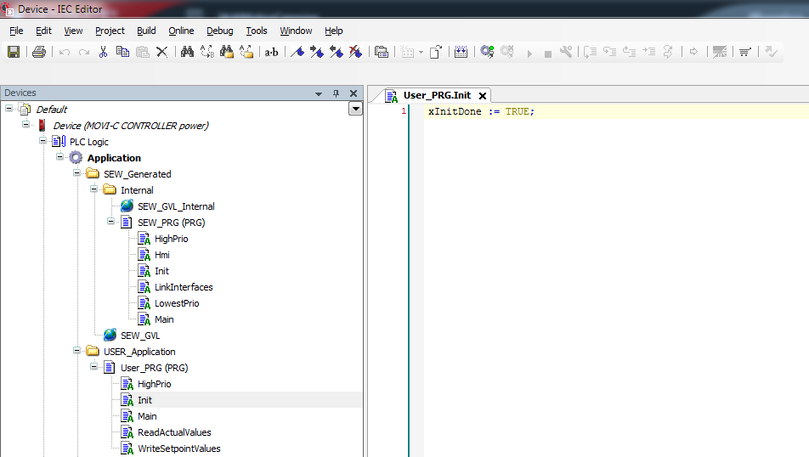
If not yet defined in the user program, now insert the line xInitDone := TRUE; into the program code of the User_PRG ( PRG) | INIT program.
- In the IEC Editor, open the User_PRG ( PRG) | INIT program.
- Insert the line
xInitDone := TRUE;and confirm your entry with ENTER. - You are then asked to define the variable.
- Confirm the definition with [OK].
Finally you can update your IEC project by means of automatic code generation.
- In MOVISUITE®, generate the IEC project by selecting [Update IEC project]. See chapter Generating an IEC project.
- Next you can compile (build) the project, log in, download the program to the MOVI‑C® CONTROLLER and start it as described in chapter IEC project creation.
