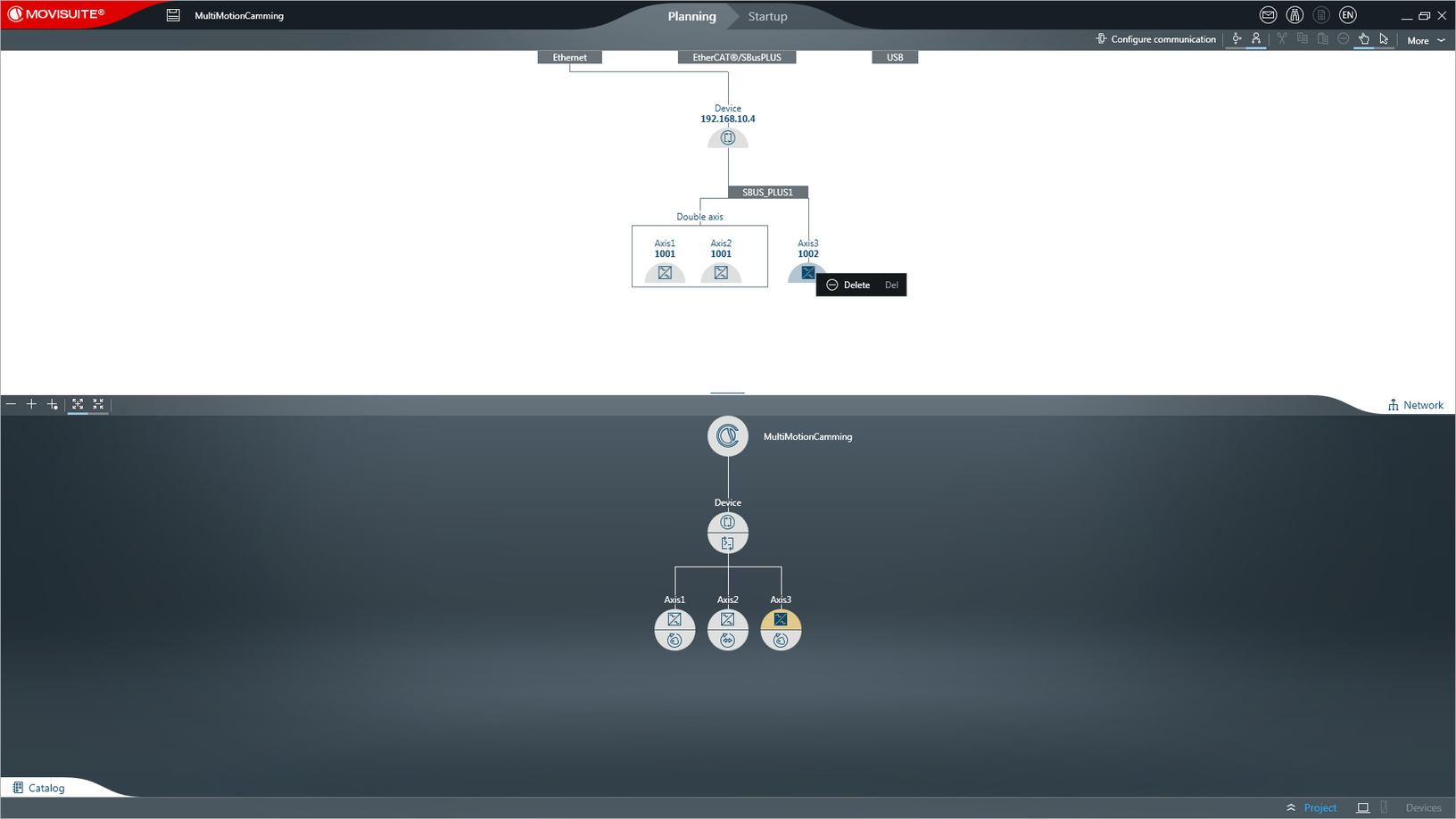
Operating an existing IEC project with simulated axes
Operating an existing IEC project with simulated axes allows among others for testing a project already running in the system. Simulating axes lets you perform tests with the IEC project at the office using the MOVI‑C® CONTROLLER and a limited number of axes.
Proceed as follows:
- Open the MOVISUITE® project.
- Open the network view of MOVISUITE®.
- In the network view, open the context menu of a device or an axis that is to be simulated.
- Choose [Delete] from the context menu.
- The device or axis is deleted from the network view which means that the relation with the function view is canceled.
- Perform the previous 2 steps for each device or axis to be simulated.
- Create the IEC project as described in chapter Creating an IEC project in "Startup" mode with simulated axes.