Activating configuration state
- There is an Ethernet connection between MOVI‑C® CONTROLLER and engineering PC.
- MOVISUITE® is in "Startup" mode.
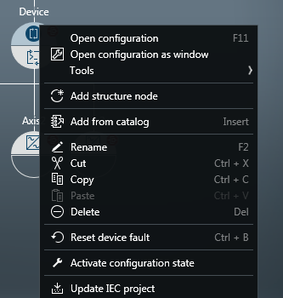
- Open the context menu of the MOVI‑C® CONTROLLER in the function view of the MOVISUITE® project.
- Select the menu item [Activate configuration state].
- A notification symbol on the MOVI‑C® CONTROLLER in the MOVISUITE® project indicates that configuration state is active.
- The position address is displayed at the lower-level inverter nodes in the network. The position address is derived from the sequence of the physical wiring.