PROFIBUS diagnostic alarm
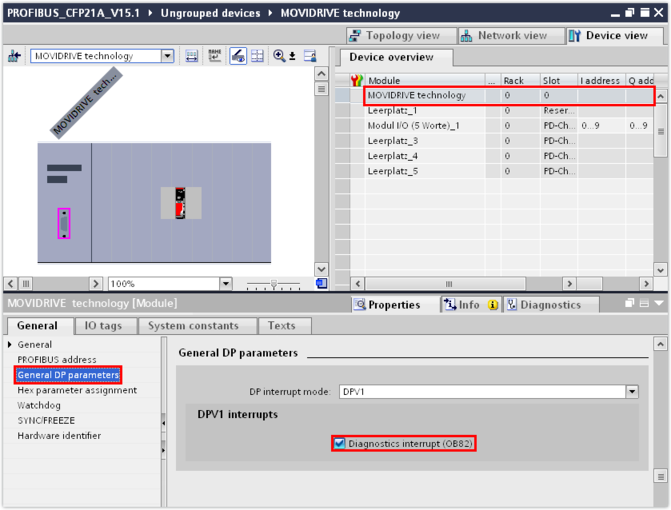
The fieldbus interface supports diagnostic alarms in the event of a device fault. The diagnostic alarm is enabled in the delivery state of the inverter. You can enable or disable diagnostic alarms in the TIA Portal engineering tool in the device view.
Proceed as follows:
- In the device overview, select slot 0 of the inverter.
- Enable/disable the diagnostic alarm in the inspector window (lower editor area) in the "General DP parameters" group.
- Fault messages of the device (fault number and description of the fault) are reported as diagnostic alarm and are displayed as text in the module diagnostics.