Installing the MOVIRUN® open Editor

Proceed as follows:
- There is an Internet connection.
- The user interface of the MOVIRUN® open Installer is open.
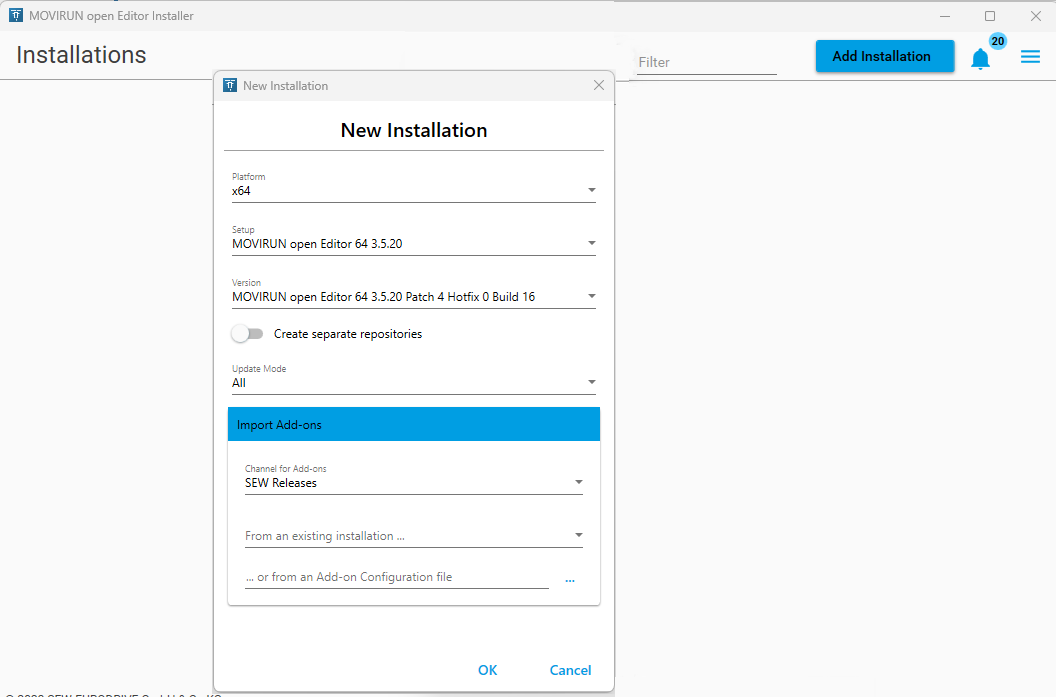
- Click the Add Installation button.
- The New Installation dialog is displayed.
- In the Setup selection, select the MOVIRUN® open Editor to be installed.
If no MOVIRUN® open Editor can be selected and the error message "Invalid setup repository" is displayed, continue reading in chapter Changing the settings. - In the Version section, select the version to be installed. SEW‑EURODRIVE recommends always installing the latest version.
- Click [OK].
- Confirm the displayed message.
- The selected version of the MOVIRUN® open Editor is downloaded and the installation is generated. This may take several minutes to complete.
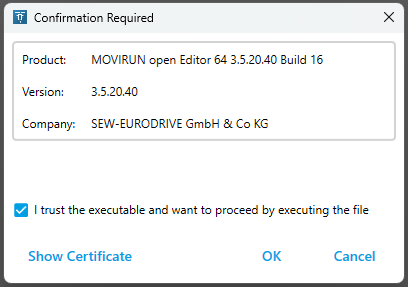
- When the process is complete, a confirmation dialog is displayed.
- If necessary, check the certificate.
- Select the check box and click OK.
- If additional software is required, this will be communicated via a pop-up.
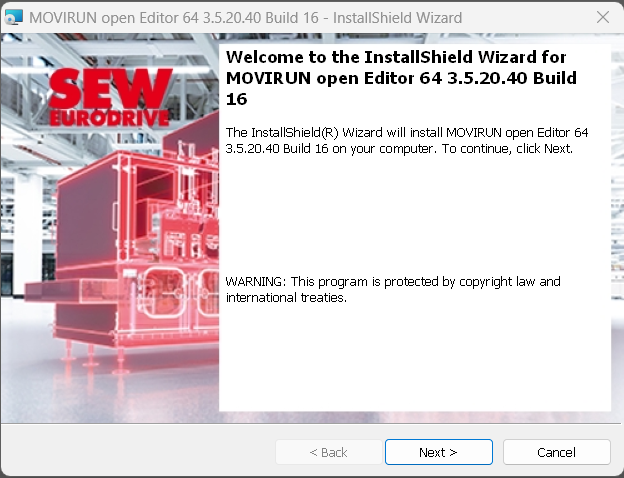
- The installation wizard is displayed.
- Perform the installation of the MOVIRUN® open Editor via the installation wizard.
- Click the Next button.
- Read and accept the license agreement.
- Read and confirm the release information, and click the Next button.
- Select the path to the directory where the MOVIRUN open Editor is to be created. (The default path is
C:\Program Files\SEW\MOVIRUN open….) - Click the Next button.
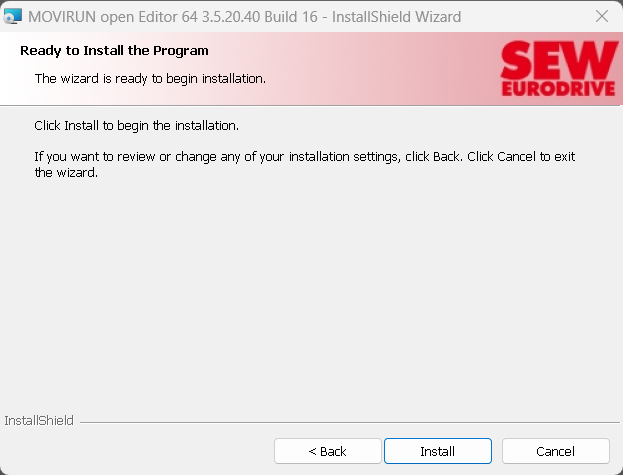
- To start the installation, click the Install button.
- The MOVIRUN® open Editor is installed.
- To exit the installation wizard, click the Finish button.
- The MOVIRUN® open Installer displays the installed MOVIRUN® open Editor.
- The MOVIRUN® open Editor can be opened via the MOVIRUN® open Installer or the start menu.
Additional information

