Manual mode
The software module provides a manual mode in CODESYS. The axes can be moved in jog mode here, even if no motion functions have been programmed yet. Manual mode and its control elements are located in the configuration of the logical device of the software module in the "Online" tab in the "Manual control" area.
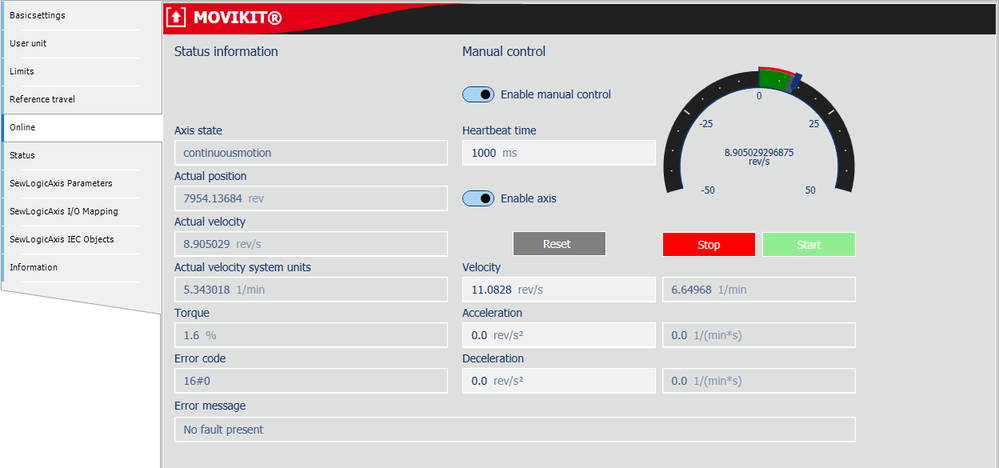

To move an axis in manual mode, proceed as follows:
- In the "Online" tab in the "Manual control" area, activate the "Enable manual control" check box.
- Specify the following parameters to control the axis:
Name | Description |
|---|---|
Heartbeat time | Specify the monitoring time of manual mode if the default setting of 1 s does not suffice. Manual mode generates a timeout and stops the axis in the following cases:
|
Enable axis | Enable axis |
[Start] button | Start drive in speed mode |
[Stop] button | Stop drive |
Velocity | Define setpoint speed |
Acceleration | Define acceleration |
Deceleration | Define deceleration |
[Reset] button | Acknowledge error (e.g. axis error) |
