Synchronizing group members first
- Set the MAC.Config.ePriority variable of the SuperAxisGroup to the value "SkewLevelingWithoutOverloadGuard" to activate the "Skew – without overload protection" priority, and reference all members.
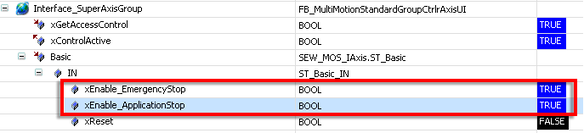
- In the Basic.IN structure of the SuperAxisGroup, set the xEnable_EmergencyStop and xEnable_ApplicationStop variables to "TRUE".
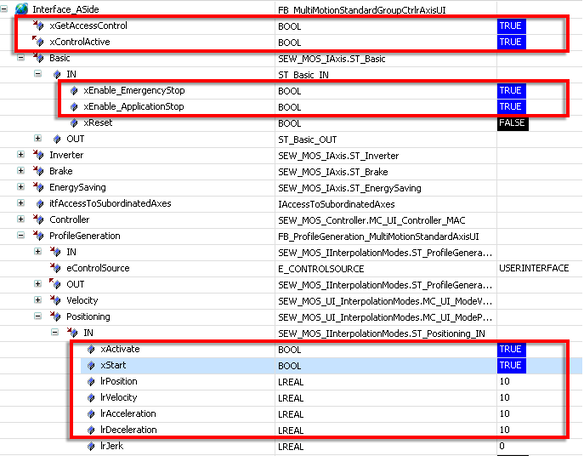
- Set the xGetAccessControl variable of the ASide to "TRUE" to request access to the user interface of the axis group member.
- If the request was successful, the xControlActive variable provides the value "TRUE".
- In the Basic.IN structure of the ASide, set the xEnable_EmergencyStop and xEnable_ApplicationStop variables to "TRUE" to enable the axis group member.
- In the ProfileGeneration.Positioning.IN structure of the ASide, specify 10 as the target position lrPosition.
- In the ProfileGeneration.Positioning.IN structure of the ASide, specify 10 for lrVelocity, lrAcceleration, and lrDeceleration for the movement of the axis group member.
- Set the xActivate and xStart variables to "TRUE" to carry out a movement.
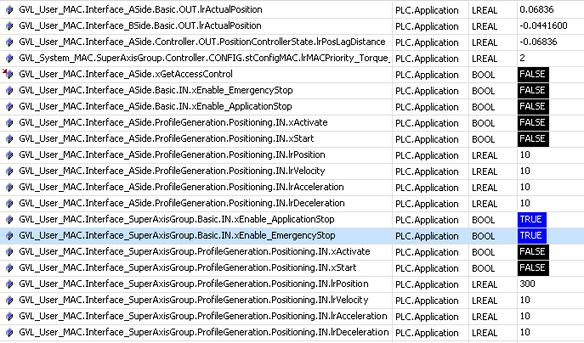
- Set the xGetAccessControl variable of the ASide to "FALSE" to terminate access to the axis group.
- In the Basic.IN structure of the SuperAxisGroup, set the xEnable_EmergencyStop and xEnable_ApplicationStop variables to "TRUE" to enable the axis group.
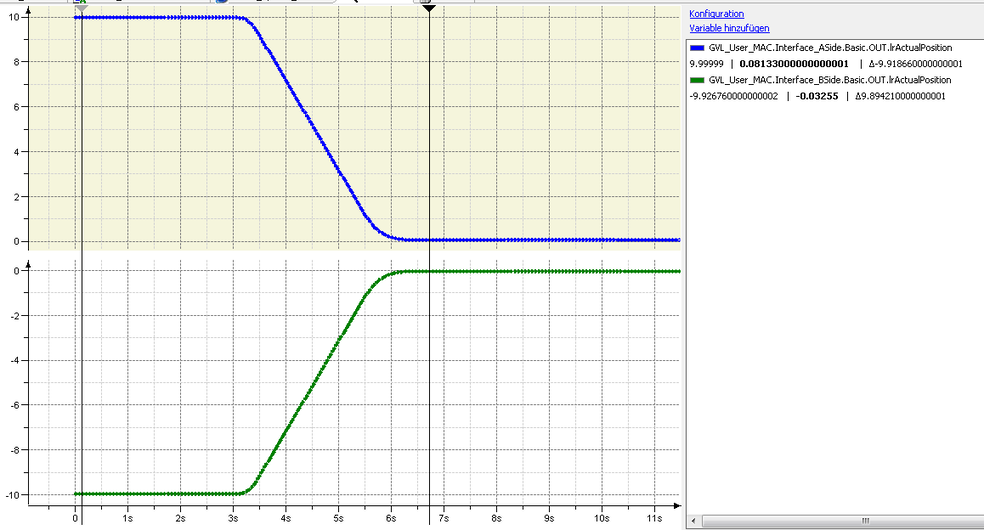
- The two group members move in opposite directions until both have reached a position of "0".
- The two group members move as a group to the specified target position.