Creating a license file and installing it on the host system
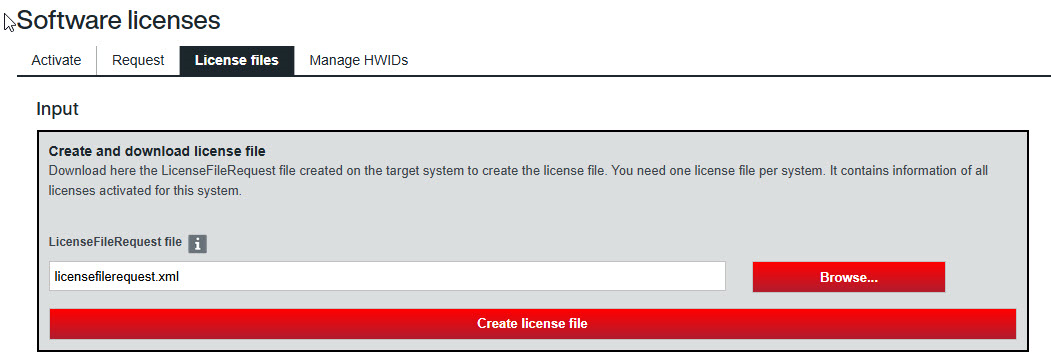
- Switch to the "Software licenses" website in the SEW‑EURODRIVE Online Support (https://www.sew-eurodrive.de/os/licensing) on the engineering PC.
- In the "License files" tab, upload the created license request file via the "LicenceFileRequest file" field.
- Click the [Create license file] button.
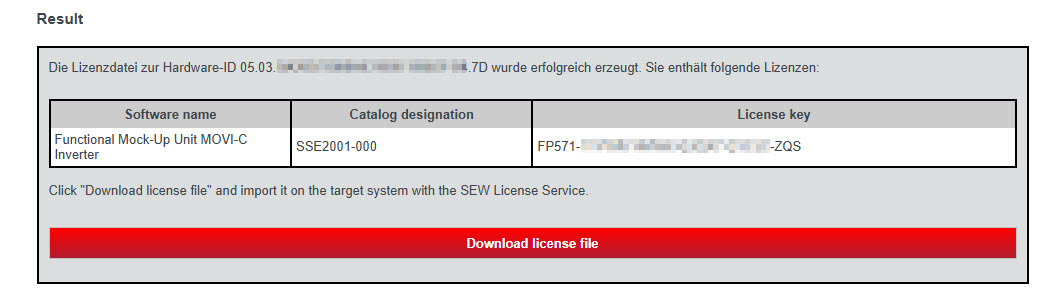
- To download the license file to your engineering PC, click the [Download license file] button.
- Switch to the FMU licensing tool and install the downloaded licensing file on the host system via the button [4. Install license file].
- The FMU licensing tool confirms the installation with the message "OK".