Checking licensing
- Run the following command to check the available hardware bindings:
sewlicmgr list HwBindings - The created hardware binding is listed, and the existence of a valid license file is indicated via the license file status ("LicenceFileState" column).
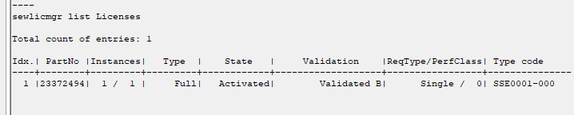
- To check whether the activated software license is present, run the following command:
sewlicmgr list Licenses - The activated software license is listed.
- Switch to the "Log" tab and check the status of the licensing (filter by "SewVisuLicensee"). See also Checking the license status.
- The activated software license is listed.