Operating modes
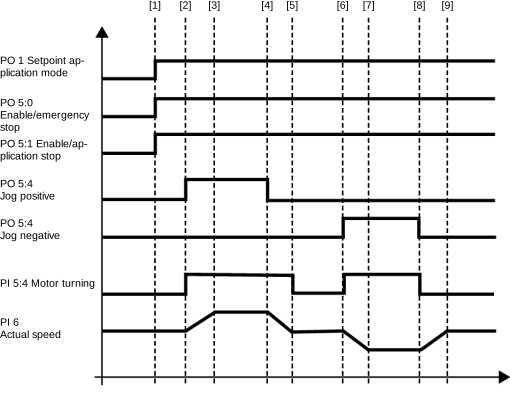
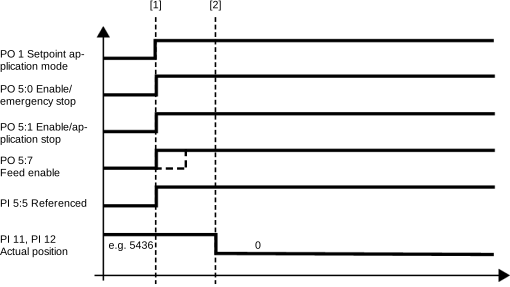
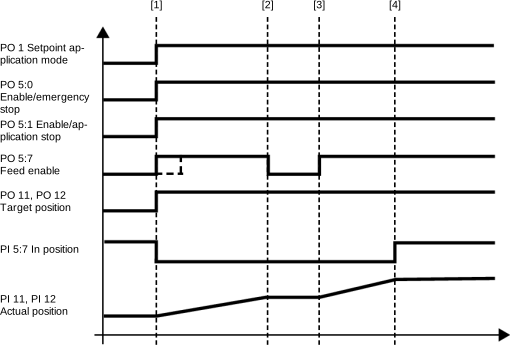
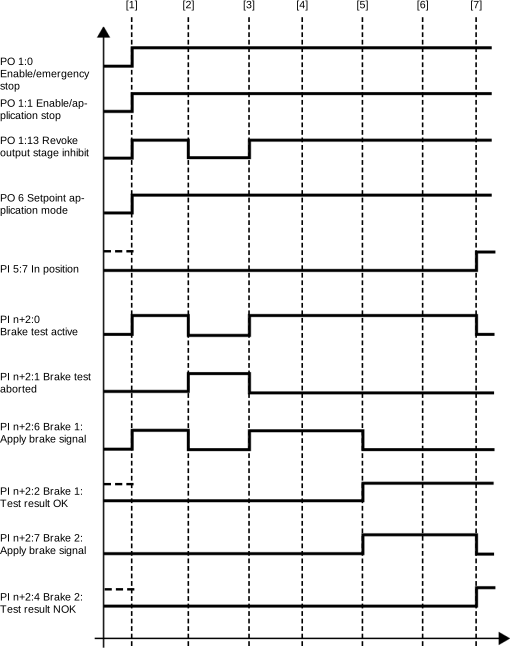
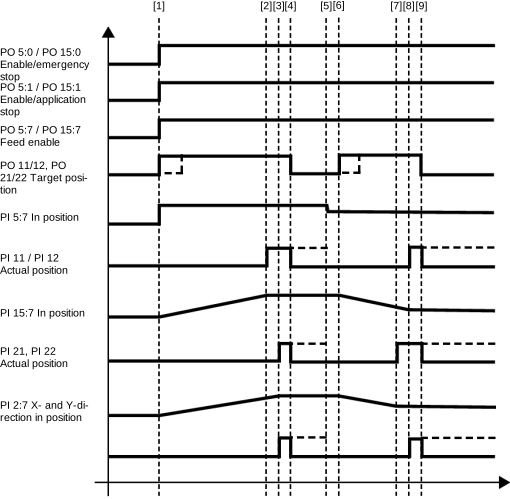
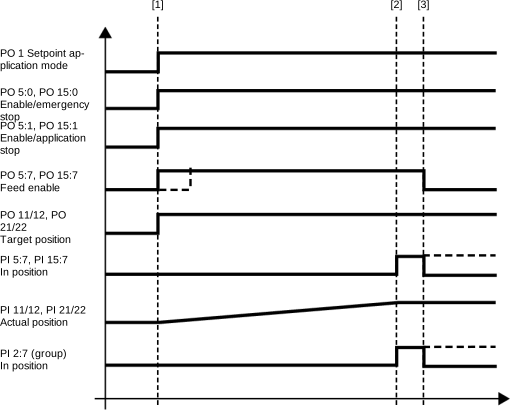
The following table shows the operating modes available in the operation of the software module. The operating mode is defined via a process data word of the software module. The drive is stopped when switching to another operating mode. Switching on the fly is not possible. The following chapters provide a cycle diagram for each operating mode to help you better understand the operating principle as well as the process sequence with a description of the signal states.
INFORMATION

A requirement for all operating modes is that the axes are enabled via the enable bits Enable/emergency stop and Enable/stop at user-defined limits in the control word. For more information, refer to chapters MOVIKIT® StackerCrane effiDRIVE control word and Process data assignment.
Operating mode (dec) | ||
|---|---|---|
Default | 0 | Enabling or disabling the axes |
Jog | 100 | Jog – position-controlled The axes are moved manually using the Jog positive, Jog negative bits and the corresponding dynamic parameters. |
130 | Jog – cams Manual movement of the axes using the Jog positive, Jog negative bits and the corresponding dynamic parameters, taking into account the configured speed cams at the aisle ends. | |
Referencing | 300 | Referencing – offset configured A configured reference offset is written to the actual position |
301 | Referencing – offset fieldbus A reference offset specified via bus is written to the actual position | |
Positioning | 400 | Positioning – absolute Positioning of the axes is not energy optimized |
430 | Positioning – cams Non-energy optimized positioning of the axes taking into account the configured speed cams at the aisle ends. | |
Brake test | 700 | Brake test – static Test of all brakes one after the other |
701 | Brake test – member 1 Test of the 1st axis group member of the MultiAxisController (no function without MultiAxisController) | |
702 | Brake test – member 2 Test of the 2nd axis group member of the MultiAxisController (no function without MultiAxisController) | |
Positioning – | 1200 | Energy-optimized positioning of the axes |
Positioning – | 1210 | Diagonal positioning by reducing the speed of an axis. |
No function – | 1300 | Preparing the external brake test The brake test is configured via safety card and is controlled using the safe bus or safe inputs. |
- Requirements for cycle diagrams
- Jog – position-controlled (100)
- Jog – cams (130)
- Referencing – offset configured (300)
- Referencing – offset fieldbus (301)
- Positioning – absolute (400)
- Positioning – cams (430)
- Brake test – static (700)
- Positioning – XY energy-optimized (1200)
- Positioning – XY mechanics-optimized (1210)