Compatibility of the control software when using the MOVIKIT® Robotics addon LargeModels
Problem
After updating or downgrading the software module version, the project no longer starts correctly: The xInitDone output variable remains at "FALSE", there is no connection in RobotMonitor, and the following error messages are displayed in the log:


Remedy
To combine the MOVIKIT® Robotics with the MOVIKIT® Robotics addon LargeModels, the interface between the two software modules must be configured in the same way. You can achieve this by changing the placeholder of the "RobotKinematicModel Interfaces" library. To do so, proceed as follows:
- Access the library manager and view the library structure of MOVIKIT® Robotics to see which version of the library needs to be set in the placeholder.
- Open the placeholder dialog and select the library you found with the correct number at the end of the library name by navigating to the library (path: Application > SEW‑EURODRIVE > MOS > Robot > SEW MOS RobotKinematicModels N).
- If the IEC Editor does not recognize that the project needs to be recompiled, the compilation must be forced via [Compile] > [Clean all] for the change to take effect.
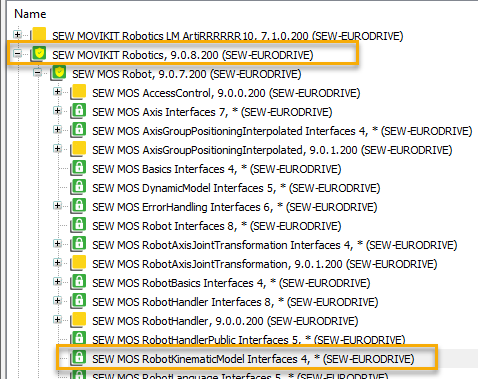
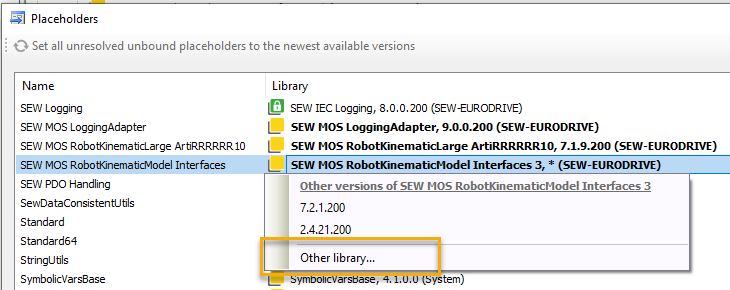

- If the library in MOVIKIT® Robotics matches the placeholder (in the screenshots, the variant with the number "4" at the end), the software is ready for operation.
