Navigating in the main menu
The main menu items are displayed on the keypad in 2 rows via 12 pictograms. Use the navigation keys to navigate freely in the menu. The currently selected main menu item lights up red.
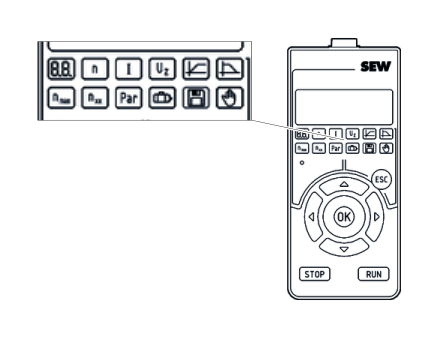

Pushbutton | Function | Example |
|---|---|---|
Arrow key left | Return to the previous main menu item |
|
Arrow key right | Go to the next main menu item |
|
Arrow key up | Change row |
|
Arrow key down |
| |
OK button | Open the main menu item | – |
ESC button | Exit the main menu item | – |
 →
→ 
 →
→ 
 →
→ 

