Main menu of the module
All device-related settings are made in the main menu of the module. The settings are divided into different groups that can be selected in the menu bar. To configure a module displayed in the network view, double-click the corresponding device.
Menu bar
The various groups with their settings are selected in the menu bar.
Motor data
The motor data is provided by the electronic nameplate. The motor data is visible with a mouseover over over the corresponding motor.
Optical module identification
Optical module localization is activated by a key. When the function is active, the motor LED and the sensor LED are activated flashing.
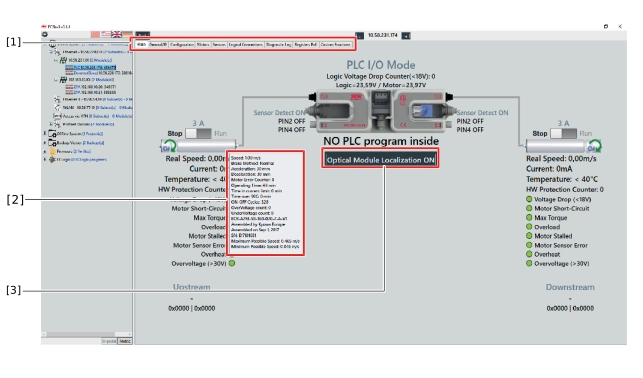

[1] | Menu bar |
[2] | Motor data |
[3] | Optical module identification |
