Drives
The settings for the drives are made in the "Drives" menu. Clicking the [Read motor history] button opens an information window. The displayed data is an excerpt from the motor-internal diagnostic memory.
The following data is displayed as motor history:
- Total operating time
- Current limit counter
- Temperature error counter
- Switch-on/switch-off counter
- Overvoltage faults counter
- Undervoltage faults counter
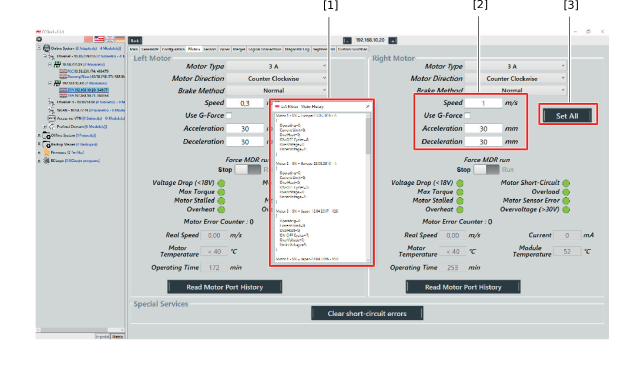

[1] | Information window |
[2] | Parameters can be edited |
[3] | Apply the settings for all connected drives |
