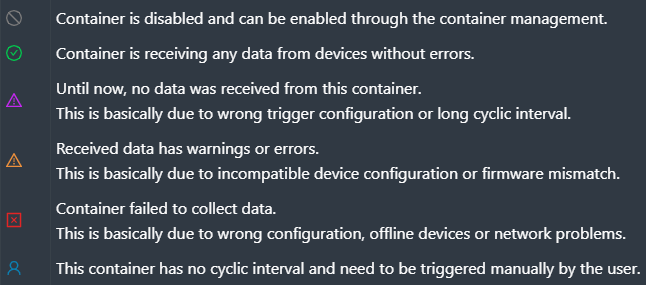
MOVI-C®/MOVI-B/OPC UA
The tabs of the various devices display all containers created, their assigned devices, statistical values, and error messages. The view of the devices can be filtered by parameter or scope containers using the drop-down list in the top right corner. The read out parameter values or scope recordings are displayed subordinate to the devices.
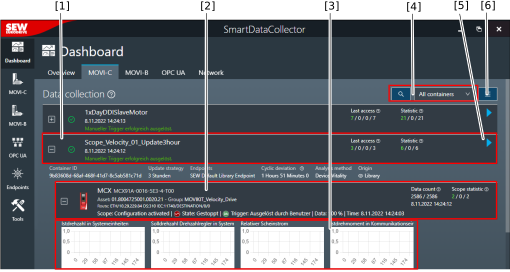

[1] | Container created for a device type |
[2] | Device assigned to the container |
[3] | Data acquisition configured for the device (in the example: scope recording)
|
[4] | Functions for filtering the displayed devices |
[5] | Button for manually triggering a data acquisition INFORMATION: When manually triggering a container, the scope recording is started immediately and data is uploaded regardless of whether the trigger conditions have been met. |
[6] | Advanced functions (e.g. "Display deviation of cycle time" option) |