Editing devices
To edit the properties and metadata of a device, proceed as follows:
- Open the "Devices" tab.
- In the list of devices, click [Edit] next to the device you want to edit.
- The dialog window "Device: Device name" appears.
- The device can be edited using the following setting fields:
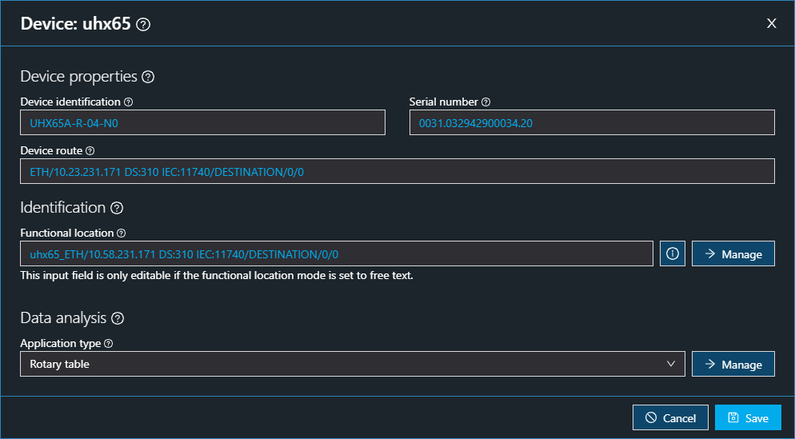

Setting field | Description |
|---|---|
Device properties | |
Device identification | Device identification read out during the device scan |
Serial number | Unique identifier of the device read out during the device scan. The serial number is included in the recorded data so that the data can be uniquely assigned to a device. |
Device route | Device route via engineering port that is read during the device scan |
Identification | |
Functional location | Assign a description of the functional location to the device |
[Manage] button | Management of the specification for the functional location |
Data analysis | |
Application type | Assign an application type to the device |
[Manage] button | Management of the application types |
