Running the script
A Python script is used to turn the MOVISUITE® generated IEC project into an SCM project.
- The SCM Multipackage is installed.
- A MOVISUITE® project with a MOVI-C® CONTROLLER and the MOVIDRIVE® MDA single-axis modules is configured.
- A new IEC project has been generated.
- Select the menu command "Tools" > "Scripting" > "Scripts" > "S" > "SCM_Projectupdate.py".
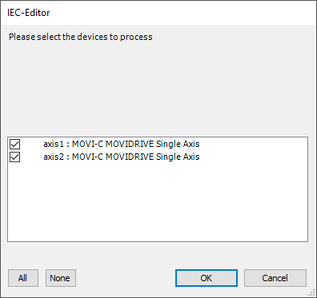
- A window is displayed.
- Select the axes within the SCM decentralized controller.
- Confirm your selection.
- The selected axes are taken into account in the extended automatic project creation with regard to your SCM functionalities.
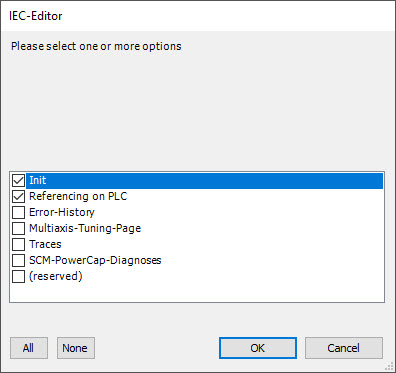
- A window is displayed.
- Select the "Init" and "Referencing on PLC" options. Depending on the application, select additional options, see chapter Python script options.
- Confirm your selection.
- The Python script is executed.
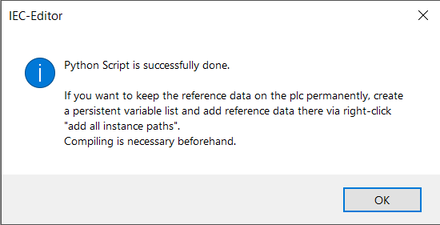
- When the Python script has run through, the following window is displayed:
- Confirm your entries.
- The Python script is complete. Now you can continue editing and applying your project.