Integrating the AS‑Interface master into the fieldbus network
Proceed as follows:
- MOVISUITE® and TIA Portal are installed on the engineering PC. The engineering PC is connected to the inverter (see Connection of engineering PC – inverter).
- You have already downloaded the device description file (GSD file) of the AS‑Interface master from the Bihl+Wiedemann website (www.bihl-wiedemann.de) and saved it locally on the engineering PC.
- Start the TIA Portal and create a new TIA Portal project.
- Add the PLC to the project.
- Install the device description file of the AS‑Interface master in TIA Portal.
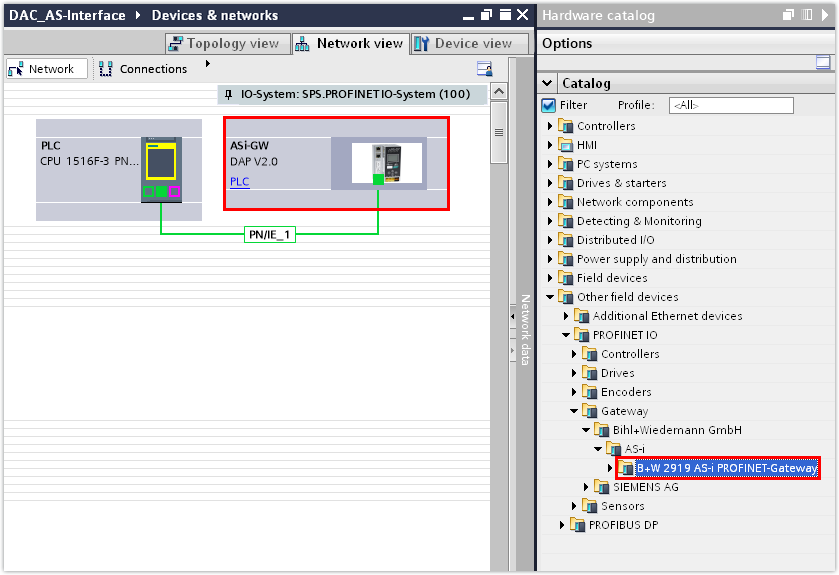
- Open the hardware catalog. Under [Other field units] > [PROFINET IO] > [Gateway] > [Bihl+Wiedemann GmbH] > [AS-i], select the AS‑Interface master and assign it to PLC in the network view.