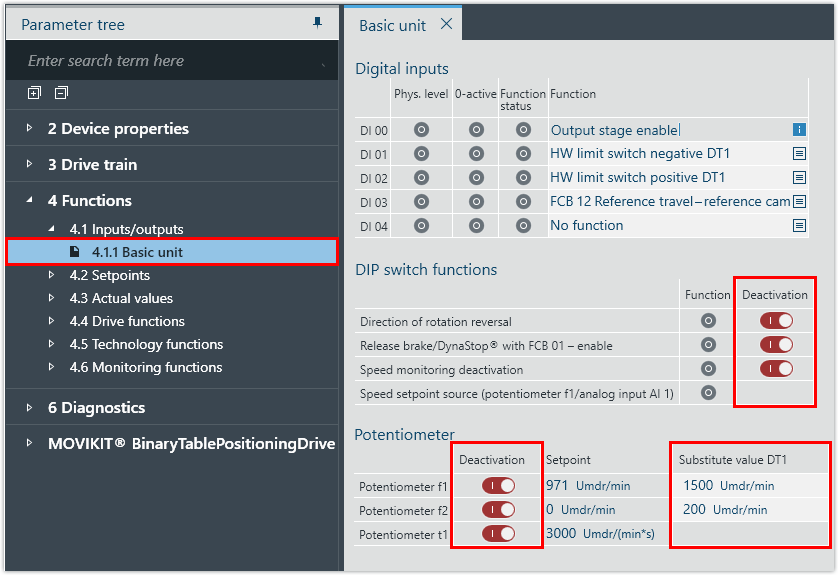
Deactivating mechanical setting elements
Proceed as follows:
- Under [Functions] > [Inputs/outputs] > [Basic unit], deactivate
- the individual functions of DIP switch S1
- the individual potentiometers
- When the DIP switch is deactivated, the last setting of the function remains active. Change the corresponding parameters of the function.
- Set the substitute values of the potentiometer. The substitute values of potentiometer t1 are the values of the parameter Acceleration 1/Deceleration 1 from the parameter group [Setpoints] > [Fixed setpoints].